Google Unveils Cutting Edge Photography Tools to Make Your Photos Look Better and the World A More Beautiful Looking Place

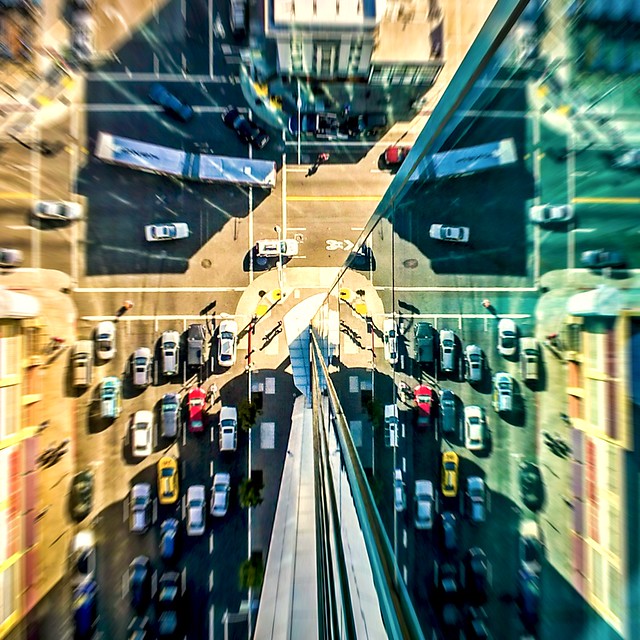
Through Glass

Google unveiled significant new innovation in the world of online photography this morning, continuing their rapid development pace on Google+. All in, Google+ pushed out 41 new features today.

Much of the new work is focused on post production photography to make people’s photographs look better than they can straight out of the camera.

Some have suggested that part of Instagram’s success has been their ability to enhance users’ photos with very simple, one touch filters. Instagram has focused on a faux film aesthetic which actually highlights the flaws in many photos to give them more of an artistic, old school feel. By contrast, Google’s easily and automatically applied post production tools, released today, work to make photos look more vivid, life like and realistic.

By using simple techniques like skin softening, clarity adjustment, smart vignetting, HDR and other enhancements, Google, by default, now offers an enhanced photo for every photo uploaded by users to Google+. Also, with this new tech, Google will give you the ability to view the before and after results and decide which you prefer to use. For photographers who do not want their photos altered in any way, these users can turn this default functionality off.
Google Releases New Tools for Photographers Using Google+

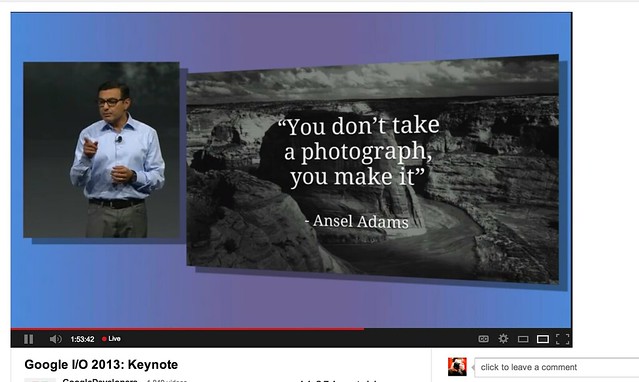
As a photographer, I have long been a believer of photo manipulation and post processing technology. Ansel Adams said “you don’t take a photograph, you make it,” as highlighted in Google Social Chief Vic Gundotra’s keynote this morning. Much of Ansel Adams’ genius has been attributed to the work that he did in the darkroom with his photos, his zone system, his post production technology of his time.

I post process all of my photos. The photo at the top of this post is the very first photo that I made with my new Google Glass that I bought yesterday. While I was able to get the composition to a point where I wanted in camera, much of the pop of that image is done with my own post production technique and style.

Many of my photographer friends also spend a great deal of time post processing their images — but the vast majority of the people out there really don’t post process at all. These people don’t own Lightroom and Photoshop or Nik Suite or Aperture or whatever else they might use to improve their photos. These are every day non-photographers who are still enamored with photography and imagery.

By applying some very basic algorithmic based enhancements, Google can make photos for the masses look much better than straight out of the camera. This is a very smart move on Google’s part. Where Instagram makes your bad photos look purposefully worse, Google now makes your bad photos look purposefully better! I stole that line from an unnamed source, btw. 😉

Where this new tech is especially powerful is in photos of people. By using basic skin softening post production tech, photos of people will look better on Google+ than on other social networks. By appealing to our vanity, this gives Google a big advantage. If people can post photos of themselves on Google+ that make them look BETTER than on other networks, many more people will choose to post their photos on G+. Just watch as people post photos of themselves on G+ for auto beautification and even download and post them to other networks I bet.

All of this sort of fancy post production *can* be done today by skilled post production photographers who spend hours and hours behind Photoshop. Now much of it will be automated and released to the masses.

There will undoubtedly be some naysayers about this tech. The same folks who moaned about the Instagramification of mobile photography will probably also complain about this new tech too. Google was smart here by giving users a very simple way to deal with this, by simply turning off this feature.

While the photo enhancements were the sizzle of Google’s announcements today, there were many other significant enhancements added to Google Photos.

Google will now begin to analyze your images and auto tag them. This is no trick where low paid overseas workers are manually reviewing your images; Googles’ algorithms now can look at the context of your photo and the actual subjects in your photos to identify possible tags for the images. If you post a photo of the Eiffel Tower, Google can detect the Eiffel Tower in your photo and add that tag for you. If Google gets the tag wrong, for whatever reason, it’s simple for you to just remove it.

What this means is that more of your photos will be seen in search by people using Google products. Many photographers are looking for more traffic and views on their photos. Who better to provide this traffic than Google Search, yes, using Google auto applied tags. This is the future of image search. If you are a photographer, especially one who depends on photography for your living, you cannot afford to ignore the significance of Google Search. Many of my own photo sales are made by people finding my photos while searching on Google. By uploading your photos to Google+, your photos will rank better in search and now even moreso with this new auto-keywording functionality.

Google Releases New Tools for Photographers Using Google+

Google also introduced a new smart algorithm that can analyze your photos and show you which ones Google thinks are the best of the batch, offering you highlights. Oftentimes we will “spray and pray,” taking 20 images of one person or subject. Google will analyze all of the images and suggest the best one for you. Google uses not just technical information about a photo (is it blurry or underexposed?) but they are using human tested aesthetics to look for what is most appealing.

But there’s more! In addition to the tech released above, Google has also added some very easy tools which will auto generate gifs for you of your photos, auto HDR bracketed shots, and suggest other compelling ways for you to present your photography to the world. Almost miraculously, Google can even look at photos of multiple people and merge the photos into a single photo that takes the best expression of each individual from *different* photos.

All of this also comes with an awesome new look and layout of Google+ which better highlights photography on the network. Popular photos will now be featured in jumbo new oversized form across a three column layout. For non highlighted photos, Google also made portrait oriented photos, especially, look better and bigger. In the past, the portrait format was the worst looking photo format on Google+, now it’s the best — that’s worth noting. 😉 For folks who don’t like the three column layout, they can switch back to a single column if they’d like.

A couple of other notes: all of this work that Google does with your photos is done behind the scenes for your eyes only. You can use the tech or not use the tech. If you use the tech and like it, *you* then choose to share the image to Google+. Nothing is shared until you choose to share it.

The new technology will only work with the JPG format (hopefully Google comes out with RAW support down the road). Google increased everyone’s storage to 15GB of online storage, but note that any photo sized 2048 px or smaller does not count towards your 15GB storage limit (you can also buy more storage if you want to). Google allows unlimited uploading of photos that you either manually resize or allow Google to resize to 2048 px. There is an option on Google where you can set whether or not you want to upload full high res photos or resized 2048 sized images.

I upload some of my photos full res, and many of them I resize manually myself to 2048 px.

Google also introduced a free, stand alone hangout app that you can now use with your mobile phone or desktop device bridging text, photos and real time group video into a single app that preserves conversations (at your choice) over long periods of time. Hangouts have been one of the most popular Google+ feature and several photography related shows have been built around them.

More detail on these changes at Google here. More from Matthew Hanley here. Trey Ratcliff wrote insightful commentary here. More from TechCrunch.
William Eggelston’s Advice on Photographing Strangers

Pure.

Fucking.

Gold.

Q: “You never got your ass kicked for taking a picture?”

A: “Occasionally I will. But usually what I’ll say is, [in an overtly upbeat, ingenuous voice] ‘May I take your picture? I’m from Memphis!’ I have found that always works. They say, ‘Oh, sure’. There’s some magic about that, ‘I’m from Memphis!’ I just stumbled on it. Nobody told me that secret. You can use it yourself. Just say, ‘Hey, I’m from Memphis!’ For some reason they know that word ‘Memphis’. You could say some other city, I don’t think it would have the same ring to it. Say, ‘I’m from Savannah’, I don’t think that would work.”

Q: “It works overseas, too?”

A: “Oh, yeah. Memphis is one of the few places… you could go to Tibet, and say ‘I’m from Memphis!’, and they’d say, ‘Ohhhh, Elvis!’ You couldn’t say any other name. Jesus Christ they never heard of…”

The Condition of Music

Don’t Wait Until You Lose Your Photos for the First Time to Begin Working on Your Backup Strategy

“Because I’m a jerk who doesn’t back up data, I’ve lost at more than a year’s worth of photos, emails, documents, and more. And, really, who knows what else.” — Mat Honan

Mat Honan was hacked yesterday and apparently lost more than a year’s worth of his photos. Like Mat, I too have lost photos in the past. If you shoot enough it’s almost inevitable, unless you are very, very meticulous about your backup strategy.

As strong as I think my backup strategy is today, I realize that it can still be stronger and plan on improving it later this year when the Drobo Mini is out. I’ll get more into this in a bit.

First off though, I’m sorry you were hacked Mat. That really sucks. I’ve had my Twitter account hacked before too. It’s not fun. After they hacked my Twitter account, they got into my blog and some of my other sites. It took time and money to clean it all up. It’s misery.

I’m not going to chide you about not having your photos backed up. People that chide you or mock you about that are assholes. It’s like kicking someone when they’re down. So while I’m using your experience to illustrate a point, it’s meant in a very sympathetic way.

I’ve known a lot of people over the years that have lost photos. It’s happened to so many people. The problem is that most people don’t start seriously working on a backup strategy until *after* they lose their first batch of photos. Everybody always means to work on a back up strategy, but it’s not fun. It’s tedious and boring. It’s so much more exciting to be out shooting or publishing your photos to the web than to be working on a backup strategy. Having lost photos though I can tell you that the sinking feeling you feel when that happens is just horrible and you must begin working on a strategy so what happened to Mat doesn’t happen to you.

I always tell photographers that one of the best things that can happen to you is *almost* losing your photos. Almost losing them because you don’t actually lose them, but it’s enough of wake up call for you to take backing up your photos more seriously.

In my case I have terabytes of data and so most cloud storage solutions simply are not economical. The cheaper plans would take years (because they throttle your data — I’ve tried them) and the more expensive plans from folks like Amazon and Google are simply too expensive for me. I don’t have hundreds of dollars per month to spend on storing my photos.

So it’s up to me to develop my own back up strategy and here is where I am today.

1. Photos that I’m working on are on my MacBook Pro. This drive is a 750GB internal flash drive. This is backed up to a time machine drive. If I lose my MacBook Pro or my hard drive fails I’ve got this time machine drive. This time machine drive is kept in a fire proof safe that is bolted to a cement floor when I’m not using it.

2. All of my “to be processed” photos (organized into folder by date) are kept on Drobos (I’ve got six). These are photos that I will eventually move over to my MacBook Pro to work on them. These Drobos are kept in the fireproof safe.

3. All of my “archived” photos that I’ve already processed along with the Lightroom Catalog for that day are kept on Drobos in my safe.

4. All of my processed JPG files, my finished photos, that are waiting to be uploaded (about 22,000 right now) are kept on my MacBook Pro hard drive, which is backed up with time machine and another copy is kept on a Drobo. My photos that I have already processed as JPGs and have been uploaded to Flickr are kept in folders by the month uploaded on a Drobo.

Another periodic backup of all of my processed photos is done and these are kept on USB hard drives locked in a drawyer at my office. Another hard drive of some of my most important processed photographs and family photographs is kept on a hard drive at my parents house in Southern California.

The weakness in my strategy? My RAW files aren’t backed up beyond storing them on Drobos in a locked safe today. Part of this is the sheer number or RAW files that I have. I haven’t added them up but I probably have at least 10 terrabytes of RAW photos.

I feel sort of ok having the drives replicated in the Drobos. I have had drives fail in my Drobos before and was able to simply eject the old drive and add a new one in and have all my stuff back. I’ve also had one Drobo fail. When a Drobo fails you can just put all four drives from your old Drobo into a new Drobo and get it back (this was my experience). Replicated data should be your first line of defense though and not your only line of defense.

Your second line of defense should be against theft, fire, natural disaster, etc. I’m sort of covered here. I feel pretty good about being protected against theft. The safe is huge, almost as tall as me. It took four guys to get it into the basement. I didn’t realize how large a safe I’d bought from Costco and it’s a lot bigger than I really need. It’s bolted to a cement floor in the basement. I’m currently remodeling my basement and am putting up walls that will prevent it from ever leaving the basement without moving the walls. I’m also putting it inside a wine cellar with a locked door on it. I feel pretty covered against theft.

As far as fire or other natural disaster? Who knows. I’m not comfortable with my strategy there. The safe is fire proof, but I’m sure it’s only good up to a point.

My other weakness is when I’m travelling on the road. Right now I dump all my photos on my hard drive which is backed up with time machine. The problem though is that I almost always fill up my MacBook Pro’s hard drive and have to dump some photos on an external USB drives. These files are then unprotected until I get them home and get them on a Drobo.

So what will I do differently this year? Later this year I’m going to buy a Drobo Mini when they come out. These small portable units are ideal to use as primary storage on the road. They use the smaller laptop drives which are more durable and robust than 3.5 inch drives. The new Drobo Mini is a Thunderbolt device so it will be fast. I’ll use this as my primary storage device on the road. This way I’ll have enough storage to always have my data replicated (the first line of defense) on the road.

The other thing I’ll use this new Drobo Mini for though is to fix a glaring weakness in my current strategy. At present my RAW files do not enjoy the ultimate line of defense of off site storage. So later this year I’m going to use the Drobo Mini to make back up copies of all of my RAW files (both “to be processed” and “archive” RAW originals) Because the Drobo Mini takes smaller laptop drives these will take up less space and be more durable and portable. I’ll then rubberband the four laptop drives from the Drobo Mini together and get a safe deposit box in a bank vault. This is where I’ll keep these RAW files. Periodically I’ll go visit my box to add new laptop drives to the box. I’ll also keep a copy of all of my processed photos here as well.

Once I make these changes later on this year I think my back up strategy will be even better. I’m sure it can get even better still, but the important thing is that I’m working on a strategy and that it’s evolving and moving forward.

What is your backup strategy? I wonder what percentage of people are like Mat and would lose precious photos if someone stole their computer or they were hacked or whatever. I bet it’s a pretty high number.

The new Drobo Minis likely will be out by the end of September, along with the new Thunderbolt Drobo 5D. If you want one you should pre-order and get on the waiting list because they’ll likely be hard to get early on. You can pre-order directly from Drobo here. You can pre-order from Adorama here.

Disclosure: Drobo is a sponsor of our weekly photography show Photo Talk Plus. I’ve used them for years though even before that and have been happy with them personally speaking. They are not for everybody though and if you are doing something else, that is fine too. The important thing is that you do have *some* sort of strategy — and if you don’t have some sort of strategy that you plan to start one as soon as possible, whatever that may be.

The Art of Wow

The Art of Wow

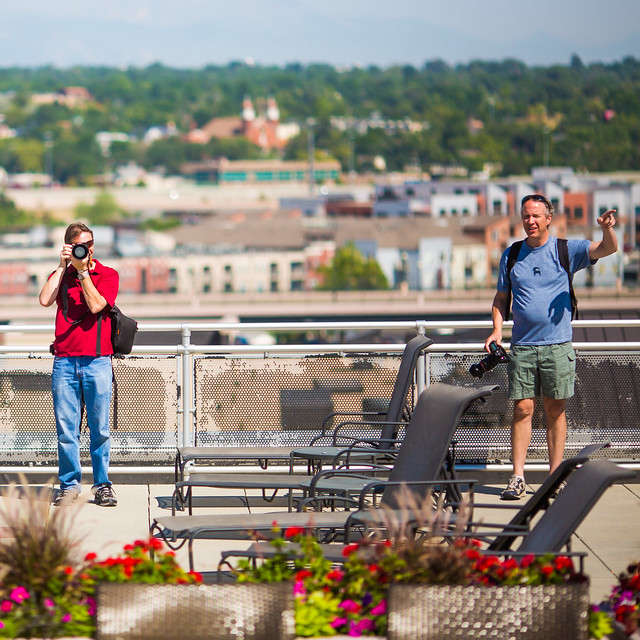
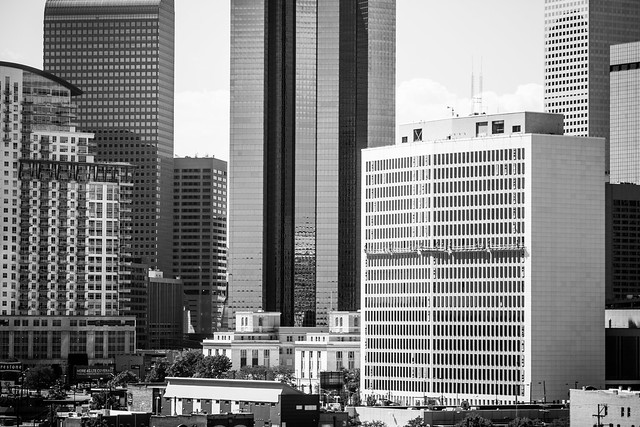
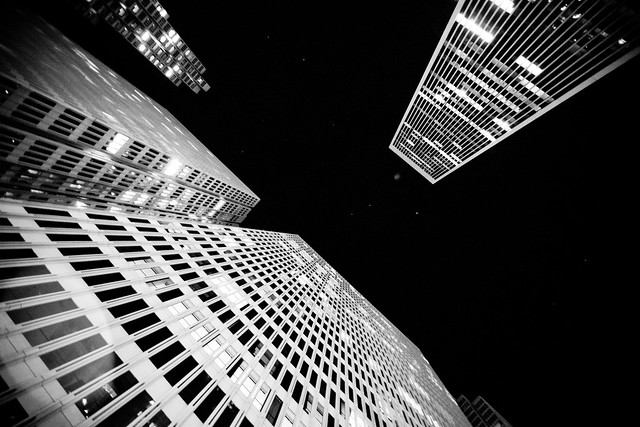
I just got back from an amazing five day visit to Denver, Colorado. I came to Denver for two reasons, to participate in a conference with Janus Capital in Cherry Creek for my day job and to photograph the city as part of my project of photographing the 100 largest American cities.

I’ll have much more to say about the specifics of Denver and about the places I photographed and the wonderful people I met in other posts, but I wanted to do a quick write up on something I learned this weekend called the “Art of Wow.”

John Evans is the Executive Director of Janus Labs and gave a talk on customer service. In his talk he encouraged us to think about the business that we are in and to try and create “Wow” moments for clients. He mentioned the Ritz Carlton as being one of the premier service institutions in the world today and cited examples of them going above and beyond to create indelible important distinctive Wow moments for their guests and visitors.

In his talk, John told us about a specific visit to a Ritz Carlton Hotel after his daughter had won a recent sporting event. In the elevator up to the room they were excited about her win. The astute bellman overheard this conversation and later on that night when they came back from dinner, there was a little cake in their room with a congratulatory note for his daughter. John has told this story now thousands of times to people all over the world — and here I am now blogging it here as well. The cost of the cake for the Ritz Carlton was inconsequential — yet they have garnered an incredible and far more valuable amount of positive word of mouth PR.

On Sunday I was hanging out with my Denver friends Ryan Dearth, Jeff Wilson, Stan Sholwalter and Corbin Elliott and his wonderful family. The evening before as our One Year Anniversary Google+ Photo Walk wined down late in the night (more on that later), we made plans for breakfast the next day. I asked my friends where the absolute *best* place in Denver was for breakfast. I always like to try to find great and unique food when I visit a city. Several names were mentioned and we decided on Snooze, which Ryan especially was enthusiastic about. We agreed to meet early there because Snooze was popular and there would be a line.

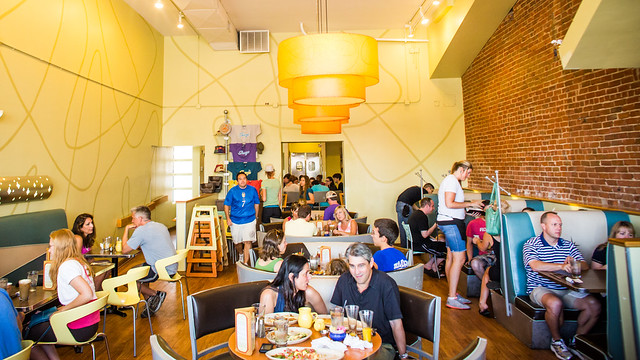
We arrived at Snooze at about 8am and there was already a wait. We didn’t mind because we walked around the neighborhood shooting while we were waiting. Snooze also had free coffee and ice water for people while they wait which was great. Eventually we piled in with all our camera gear and were seated and enjoyed a wonderful breakfast. The eggs benedict were some of the best I’ve ever had.

On one visit from our waiter, I think it was Stan who inquired about if our waiter knew how we could get on a roof where there was a neon sign that I’d wanted to shoot near there. The waiter said he didn’t know but in a few minutes brought Jon Schlegel over who is the owner of Snooze. Jon didn’t know about the other building either but he did offer to get us on the roof of the building next to the one we were asking about. They were newly constructed high end condos and someone who worked at Snooze lived there and he offered to get us up. Now, Snooze was super busy. This is one of the most popular restaurants in Denver, and yet after our meal the owner *himself* walked us around the block to let us into the condo and got us to the top of the building. Wow!

See, Jon had just created a wow moment for us as customers.

The Art of Wow

In the elevator I complimented Jon on the food and great decor of Snooze. We chatted about how he designed it based on Googie architecture and it was no surprise to me when he mentioned they would soon be opening their 7th location. The restaurant has been a huge success. Some would call Jon’s extraordinary action to a group of photographers karma, and I’m sure it is, but it was also a warm, personal, gesture from a successful businessman and restauranteur who understands the value of creating wow moments for his customers. There was even an old vintage neon sign in the condos which was a huge treat for me as well.

The Art of Wow

The Art of Wow

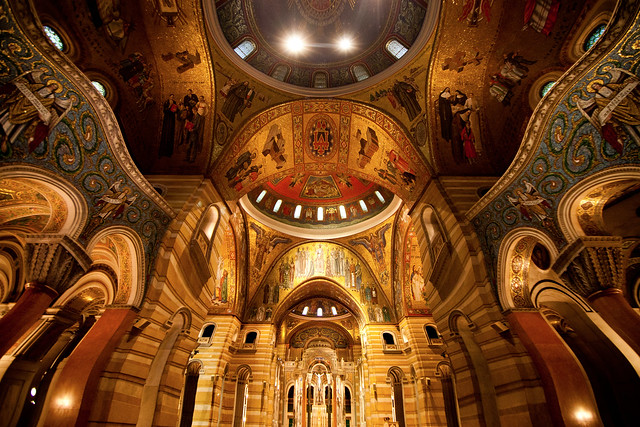
A bit later on in the day we stopped by the Ritz Carlton to photograph the Dale Chihuly chandelier that they have in the lobby there. While some hotels might chase a group of pesky photographers out, we were greeted instead by Dewiet Miller, the food and beverage manager. Dewiet talked with us about our photography and then offered to take us up to the Ritz Carlton Club lounge to get some photos from up there as well. We were not even paying guests, but Dewiet extended an extraordinary amount of hospitality towards us. Interestingly enough while up in the lounge I mentioned our wonderful breakfast earlier at Snooze, and Dewiet told me that he in fact knew the owner Jon and had even given a talk to his employees on, yes, you guessed it, customer service.

After leaving the Ritz Carlton, Corbin received a phone call on his cell phone. He had traded business cards with Dewiet. Dewiet had called Corbin to let him know that I’d left a lens up in the Club lounge at the Ritz. He said he’d have it for me at the concierge’s desk.

Wow!

The Art of Wow

Whether or not you are a professional photographer, a waiter, a doctor, a lawyer, a software engineer, or even someone who is retired, I think all of us are capable of creating wow moments for the people around us — for our customers and clients and even our family, friends and acquaintances. These meaningful authentic moments make the world a kinder and better place. They are also how businesses like Janus Capital, the Ritz Carlton and Snooze Restaurant in Denver Colorado are thriving based on providing wow moments in a world where customer service more generally feels like it’s getting worse and worse. I hope this post encourages you to think about how you too might be able to provide wow moments — oh, and thanks Stan Showalter for creating your own wow moment in driving me back to the Denver aiport yesterday afternoon (and alot of other folks too for the amazing hospitality extended to me this past weekend)!

Want to Win a Canon 5D Mark II Camera?

Sunrise With the Scobleizer

Well then you are in luck! Because we are giving one away, courtesy of SmugMug, next Wednesday night live on Photo Talk Plus.

Want to learn how you can win it? Then tune in and join us tonight at 8PM PST LIVE on the Vidcast Network for an epic interview with the one and only Robert Scoble.

Robert and I go way back from the days of our photo walking videos and tonight’s hangout should be a great one. Tonight we’ll be talking about SmugMug’s new awesomest iPhone camera app Camera Awesome, the brand new Lytro lightfield camera announced today, an update on Sunday’s huge Trey Ratcliff / Tom Anderson hosted photowalk down in Los Angeles, all the latest from the rumor mill on the rumored to be imminently released (this Friday) new Canon 5D, Mark III, and much, much more.

Joining me tonight as always will be my lovely cohost Lotus Carroll, along with panelists Don MacAskill from SmugMug, Natalie Villalobos from Google, The Vidcast Network’s Keith Barrett, Camera Labs’ own Gordon Laing and LIFE Through the Lens Host Karen Hutton.

Thanks as always to our great sponsors over at Drobo and SmugMug!

Flickr Adds Pinterest Restrictions to Better Reflect Users’ Sharing Preferences (See Update)

UPDATE: When I wrote this story I tested Flickr’s behavior on how a default account is set up. In my test image it appeared that this image was coded by default as “all rights reserved” with sharing disabled and I could not pin it. Based on this behavior by Flickr, I assumed that all default photos (the majority on Flickr) could not be pinned. In actuality the fact that this account was set up with the “all rights reserved” “no sharing” options default may have been an error in the default settings on flickr. I’m now told by Flickr that the default setting actually *should* be all rights reserved sharing enabled.

What this means is that the only photos that are being restricted from Pinterest are a very small number of photos where users have consciously chosen to restrict their sharing elsewhere on the web. This is actually a pretty smart thing to do to give these users more control over their flickr photos. The vast majority of all rights reserved images on flickr then are still very much able to be shared to Pinterest. Aaron Hockley has a good rundown on the situation here.

Original article corrected:
=====================================================
Flickr apparently disabled the ability to post Flickr photos to Pinterest when the photo is uploaded using the all rights reserved license that Flickr defaults to when a user has opted not to share their images outside of flickr in their flickr settings.

1. This limitation is super easy to get around. Just install Dan Pupius’ mega-excellent FitrFlickr extension. Now on a flickr images’ main photo page under every photo will be direct links to the various sized copies of the images that flickr stores. Here you can easily just go to where the photo is stored directly and share that version of the image circumventing flickr’s code that has been put in place.

2. If you’ve disabled sharing in the past but now want people to be able to share them on Pinterest, just go to your sharing options and turn the default no to “yes, that would be lovely.”

3. One of the biggest things that this does is helps to make sure that flickr’s underground porn world stays underground. The “no pin” tag has been put on all non-safe, non-public photos on Flickr non matter what settings you’ve put on your photostream.

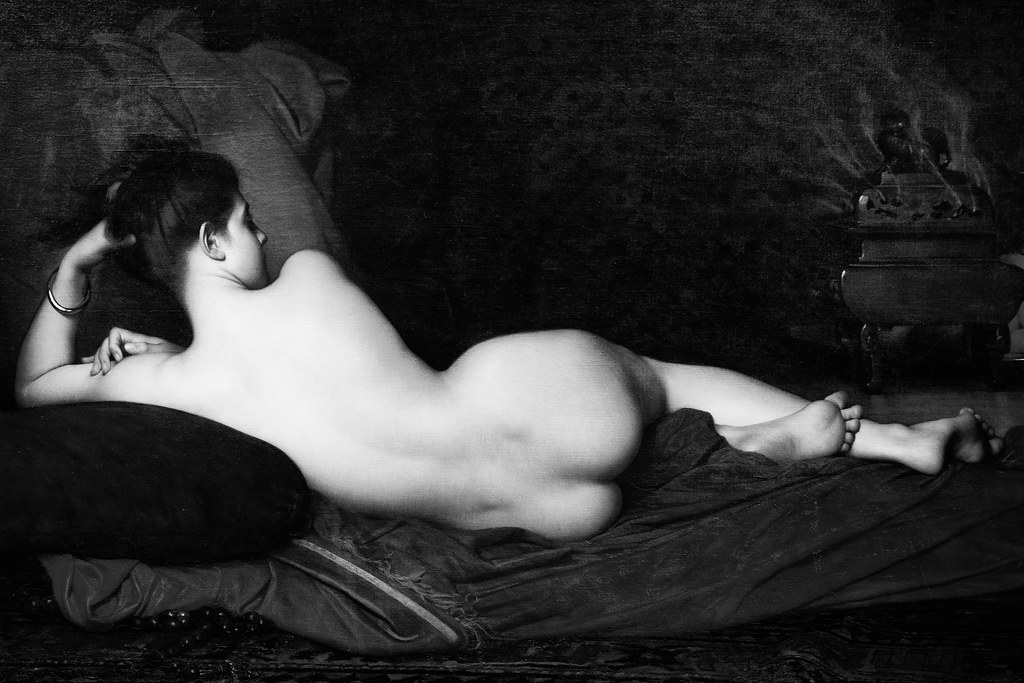
You can of course still post non-safe, non-public photos with the hack that I described in item 1. For example. Flickr has coded this photo that I took of a painting at the Chicago Art Institute as naughty (rolls eyes) — so if you try to pin it you can’t. But if you go to where flickr actually stores the image you can pin it from there just fine. And here it is, a super naughty non-safe flickr photo live living and breathing on Pinterest. 🙂

4. Flickr Help Forum thread on the topic here.

As far as Pinterest goes generally speaking, I like it. I blogged about it the other day here. My friend Trey Ratcliff blogged about it the other day as well here. Alot of photographers are pretty wound up about it though. The most recent bugaboo is that Pinterest strips your metadata when a photo is uploaded there. This upsets alot of people because they embed things like their copyright in the metadata on their photos. Thanks for the heads up on the metadata thing Gary!

My view in general on Pinterest is that many photographers are overreacting about it. Pinterest is not going to steal your photos and sell them as stock photography no matter what mumbo jumbo you might come up with on their TOU. Pinterest users are really not even the type to buy your photos. They’re basically a bunch girls/women who like to scrapbook stuff (and Trey Ratcliff). It’s no different than back in the olden days when bored housewives would cut pictures out of Good Housekeeping magazine and put them in shoe boxes to show them to their girlfriends later — or some girl printing up a photo of Justin Bieber from the internet to hang up in her locker at school. [no chauvinism meant or intended by describing Pinterest as a largely female user base with my flowery language in this part. It’s a cool site for men and women both]

Oh, and if you want to follow me on Pinterst, you can find me here.

Update: I’d like to emphasize that this change only affects the *Default* all rights reserved photos uploaded to flickr. I put default in my headline specifically to try to emphasize that this applied to default all rights reserved photos, not every all rights reserved photo on Flickr. In point #2 I show users who are using all rights reserved licenses with the original default how they can actually use the settings on flickr to change the default no share option and control how their photos are shared or not with that setting.

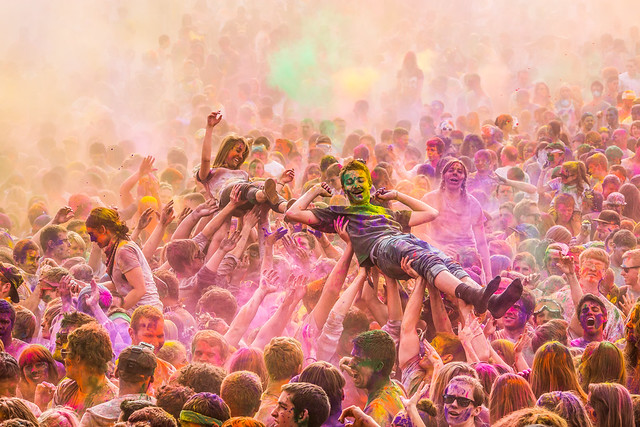
Festival of Colors Utah Photowalk , March 23-25th

Festival
Photo by Scott Jarvie

What is it?

A free 3 day event/photowalk – March 23-25th in Utah

“A photowalk of epic proportions and awesomeness” – Scott Jarvie

I’m super excited to be heading out for the Festival of Colors next month with my good Pal Scott Jarvie.

I’d try to describe exactly what it is but Scott’s blog post does a much better job of that than I can. Check it out and if you’re up for it, post here on Google+ and come on out and join us for this remarkable photography adventure.