Prismatic Launches iOS Version 2.0

Prismatic for iOS
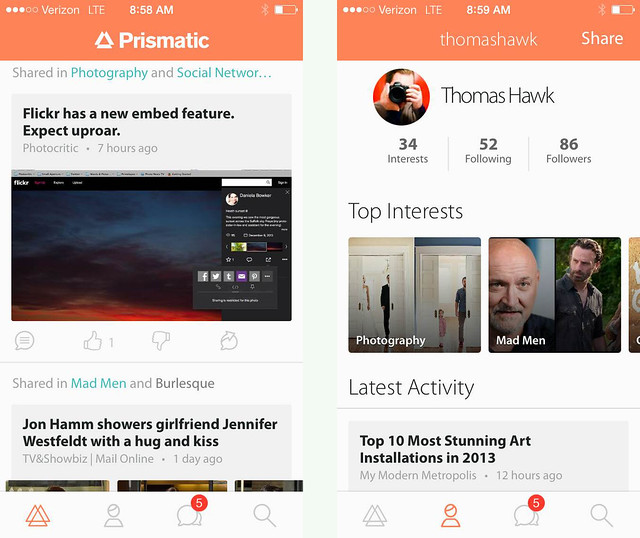
Prismatic 2.0 for iOS released this morning.

I’ve been a big fan of the news aggregator Prismatic ever since it originally launched on the web. As far as I’m concerned, there is no better site on the internet today for aggregating all of the news stories that *I* care about than Prismatic. It’s the ultimate personalized news feed.

On Prismatic, I enter my interests (subjects, topics, companies, people, TV shows, etc.) and Prismatic offers me up a daily feed of pretty accurate stories that I will be interested in. Prismatic has completely replaced my old RSS reader for me and is my go to place each day to view my favorite stories, personally tailored to my interests. The design is fast and elegant and easy to use. Prismatic currently indexes 5 million new stories every day and contains over 10,000 interests you can follow.

Prismatic for iOS

On Prismatic I can like or dislike stories and Prismatic uses a machine learning algorithm to tailor my future posts even more to my interests.

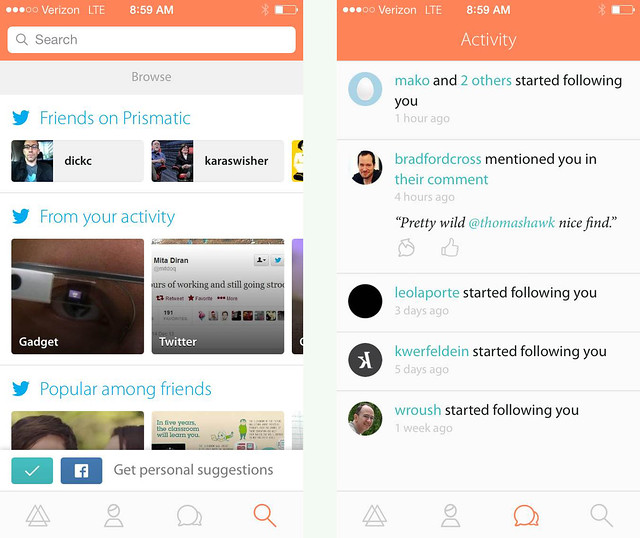
With the new iOS version Prismatic gets even more social than it’s been in the past. I can follow people and things that my friends like are included in the algorithm for what I’m presented.

While I spend a lot of time working on my photos or spending time on social networks when I’m on my computer, Prismatic is the perfect companion to my iPhone, where I want to quickly find great articles that interest me while I’m on my commute or walking around mobile. You can easily share stories you find and like directly from Prismatic to Twitter or Facebook.

Congrats to Bradford Cross and his team at Prismatic on today’s launch. Go get the new Prismatic for iOS in the APP store and check it out. I think you’ll be impressed by how many great stories are personalized to you — especially great photography stories. πŸ™‚

More from Matthew Ingram at GigaOm here.

Testing New Flickr Web Embeds Feature


New Flickr format for blogged photos

http://blog.flickr.net/2013/12/18/flickr-web-embeds

To The Open Arms of the Sea
Old Flickr format for blogged photos

I like the old format a lot better. The new format forces a title and Flickr logo watermark on your photo. I do love Flickr but I don’t want a Flickr watermark on every single photo I blog. I don’t want *ANY* watermark on the photos that I blog.

Also, look how bad the watermark looks on a white background. White text on a white photo becomes unreadable. Also, why is the r in Flickr cut off on the right on the flickr logo with the new iframe crap code?

As it stands right now, users on Flickr have an option to use the new embed feature or they can also still get the old html code. On the new Flickr beta photo page though users are only given the option of the new iframe code. I hope when the new beta photo page becomes default, we still have an option to choose between the old, clean and simple code instead of the new forced watermark code.

More conversation on today’s change in the Flickr help forum here.

Update: More from TechCrunch here:

“But perhaps a logo with more transparency would be nice, or one that faded away with navigation controls, appearing on interaction or mouse-over. It’s a fairly minor complaint for me, though some photogs might have an issue with it.”

Yep, I’m one of those photogs that probably has an “issue” with a forced Flickr watermark on every single photo on blog on my paid Flickr Pro account that is supposed to exempt me from advertising on my photos.

Update: Thanks to tregoning at Flickr who gave me the conversion dimensions to make the new Flickr embed code fit my blog: height=”384″ width=”576″

Update: Flickr changed the new embed code to only show the title/Flickr logo for the first few seconds and then only on hover after that. MUCH better. πŸ™‚

Why Blocking is Important for a Social Network

Why Blocking is Important for a Social Network

Earlier today Twitter reversed their decision to change how user blocks are handled after a backlash reaction on their network.

From the Twitter blog:

“Earlier today, we made a change to the way the “block” function of Twitter works. We have decided to revert the change after receiving feedback from many users – we never want to introduce features at the cost of users feeling less safe. Any blocks you had previously instituted are still in effect.”

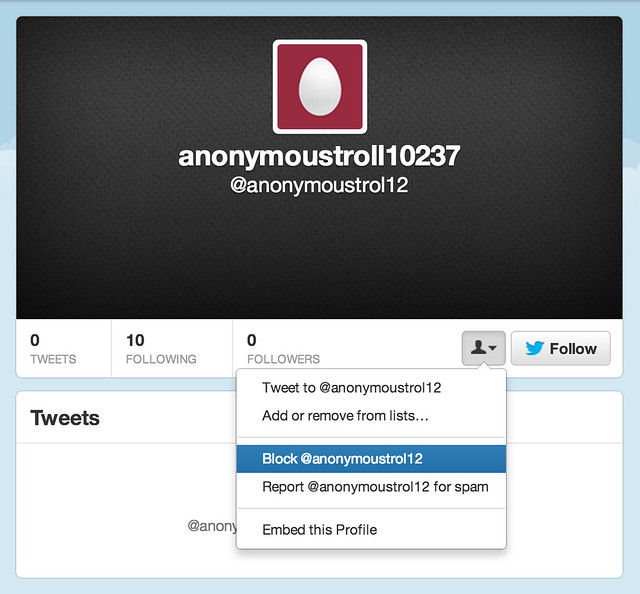
In a way, the current block at Twitter is sort of ineffective. If I block someone, the only thing it really does is prevent them from seeing my tweets when they are logged in (which also serves as notification to them that I’ve blocked them). They can still open up an unlogged-in version of Twitter (as easy as cmd-shift-N in Chrome, or cmd-shift-P in Firefox) and see everything I’ve tweeted publicly. Still, Twitter’s reversal shows that users really do care about blocking functionality and want more control and powerful blocking tools, not less.

I would argue that there are three key benefits that come from strong blocking tools on a social network.

1. Users feel empowered when they are more forcefully able to deal with harassment on a network. If someone is saying something offensive, why shouldn’t I personally be able to take control over that situation? If someone is making me uncomfortable, why shouldn’t I be empowered to deal with that for my own personal experience?

2. More effective blocking tools encourage more civil interaction. The thing that most trolls, haters, griefers, offensive jerks, etc. want on a social network is attention. By making it super easy to mute them or diminish them (especially by an intended target) it provides a disincentive for anti-social behavior in general.

3. Empowering users with blocking tools provides immediate relief for a user. Since oftentimes harassment is happening in real time, this can be more effective than waiting for customer service / community management reps at a social network to respond to reports of community violations. It is frustrating for a user to have to suffer even an additional 12 hours of harassment while a complaint works its way through to a community manager.

As far as best practices go, I’d hold up Google+ and Facebook as the networks that provide users the best blocking protection on the internet today.

Like Twitter, on Google+ and Facebook when you block someone they cannot see your public posts.

Google+ and Facebook take it one important step further though. Not only do they prevent someone you’ve blocked from seeing your public posts, they *also* filter the blocked user entirely out of your G+ or Facebook experience.

On G+ and Facebook when you block someone they become completely invisible to you everywhere on the network. It’s like they no longer exist in your social utopia.

That second block function is even more important than the first.

Flickr by contrast has some of the weakest blocking tools on the internet. When you block someone on Flickr, all it does is prevent them from private messaging you or commenting/faving your photos. Because of Flickr’s weak blocking tools, I’ve seen many of the most active, social accounts on Flickr leave due to harassment. This is bad design.

What makes harassment even worse on Flickr, is that (unlike G+ and Facebook) they allow anonymous troll accounts. So if a Troll1022 is harassing you anonymously on Flickr, and you report them, and three days later that account is deleted, all they need to do is set up Troll1023 and continue with the practice. Flickr’s weak blocking function allows virtually unlimited harassment on their network by anonymous trolls.

Protecting users and providing more control over your experience on a social network is important. It’s your most social and active users who will most likely sooner or latter run into friction. These are the users that any social network should be striving to empower.

I’m glad Twitter reversed their block policy after user reaction, and hope all networks realize how important the block feature is.

Why I Don’t Support “Black Day” at Flickr

Why I Don't Support Flickr Black Day

If you notice something different about photos on Flickr today, it might just be “black day.” Over the past week or so, hundreds (maybe thousands) of users who dislike an impending photo page change (and in many cases, redesign changes from earlier this year) have organized and are protesting by posting black protest images to their Flickr accounts today, December 8th.

Here is why I don’t support this protest.

Flickr users have protested quite literally *everything* that has ever been changed to the site. Every change over the past decade or so that Flickr has been around, has been meet by strong resistance. When Flickr added video, when Flickr required Yahoo accounts to sign in, and certainly design changes most of all, all of these and so many more have been met with various protest movements.

The “who moved my cheese” crowd is strong with Flickr.

At the same time, in order to improve and grow Flickr *MUST* change. Flickr must evolve. Flickr must improve.

Whether or not Flickr gets their design changes right or wrong, they simply must move forward and compete with other photo sharing sites today. Hopefully they get it more right than wrong, but I simply can’t support something that’s primary premise is based on not changing for the sake of, well, not changing. That is how things die. As good as Flickr is, it can always improve, and if the site is paralyzed by the “no change” crowd it cannot innovate and grow.

Competition in the photo sharing space is stronger than it ever has been. Flickr, Google+, Instagram, Twitter, Facebook, Pinterest, SmugMug, Behance, 500px and more are all competing for our photos and our attention. If Flickr is going to survive as a contender in this space, they must produce a more compelling experience than they have in the past.

Many of those currently protesting design changes on Flickr are loud, very loud — and some are some of the rudest, vulgar and offensive people I’ve ever come across online. They way they trashed Marissa Mayer and other Flickr employees’ *personal* photostreams after the last redesign was way over the line.

Even as a large protest group, however, this group most certainly does NOT represent the majority opinion on Flickr. Most (the silent majority) Flickr users couldn’t be bothered to get worked up about anything and quite simply don’t care enough about whatever happens at some photo sharing site to have much of an opinion one way or the other.

For this silent majority, the best tool Flickr has is data. The best thing that they can do is watch how the majority use the site and react to changes based on their online usage patterns and actions. I suspect that recent design changes on Flickr have contributed to more users, more views, and more engagement — despite what a small, but vocal, minority might want you to believe.

Only Flickr has access to this data, but I suspect that they are quite happy with usage results (even just going by my own anecdotal increase in activity that I’ve seen on the site as changes have been rolled out this year).

Now, as far as the new photo page redesign goes, mostly I like it. I say mostly, because even as I’ve used the page (it’s in an optional opt in or out beta form right now), I usually end up turning it off and going back to the old page. It simply is missing too much functionality that I rely on and need to use Flickr at present.

For example, I need to be able to click on the faves button and see who has faved my photo. That is important (and pretty basic) social information that I want access to. At present you cannot do this with the new photo page (but it is planned per Flickr’s feedback page). Assuming Flickr gets all of the basic functionality right in the final product though, I like the design better in general.

I also like the redesign changes that Flickr implemented earlier this year. I think that the justified layout combined with infinite scroll is the fastest, most efficient, way to consume photos on the internet today. Both Google and Facebook use infinite scroll. While some people have claimed that Flickr is slower for them, it is not for me. Images load very quickly on a modern laptop with a broadband internet connection. I also don’t have bandwidth caps on my primary internet connections.

Flickr has never been faster and I’ve been able to see more images on Flickr this year than any year previous due to these efficiency improvements.

I think Flickr needs to change even more in fact — mostly around social. There is still so much that could be improved on Flickr from a social standpoint.

The primary role of a social network should be as a social lubricant. Flickr should be obsessed with social, much more than it feels that they are. How can Flickr create even more social interaction? How can Flickr turn online social interaction into offline social interaction? How can Flickr make it easier and easier to favorite and comment on photos? How can Flickr show me more photos that I like (and will interact with socially) and less photos that I do not like?

These are the questions Flickr should be asking as they innovate and improve, and, yes, change.

Why does Explore still exist as it does? It’s so broken. Why are power users blacklisted from Explore? Shouldn’t Flickr care about their power users?

Explore is boring to me because it is not customized to me. Flickr has so much data about me. Why aren’t they analyzing my data to provide me a better photo exploration tool? Flickr knows whose photos I favorite. Flickr knows what tags on photos I favorite (and with image recognition analysis in the future, even more).

Flickr knows the geolocational location of photos that I favorite. Why is Flickr wasting valuable Explore real estate by showing me photos with watermarks when I hate watermarks? Why is Flickr showing me images of overcooked HDR? Explore has so much potential to truly provide a compelling image discovery system and yet it still falls flat.

I hope more change is coming to Flickr, not less. 2013 was the most innovative year of Flickr since Yahoo purchased them. Hopefully 2014 will be every bit as good.

More comments on this at the original Flickr photo here and on Facebook here.

My Flickr Book Arrived — It’s AWESOME!

My New Flickr Book Has Arrived!

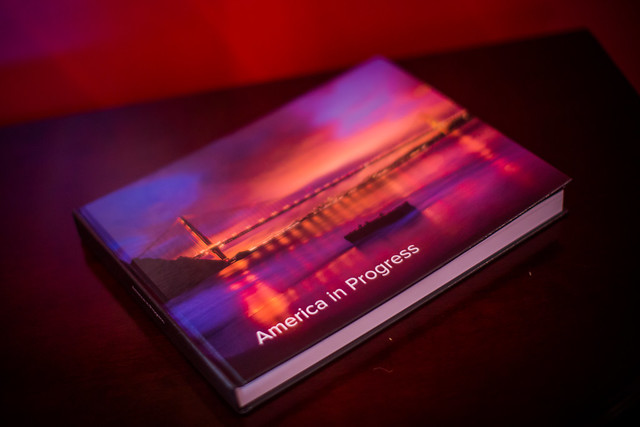
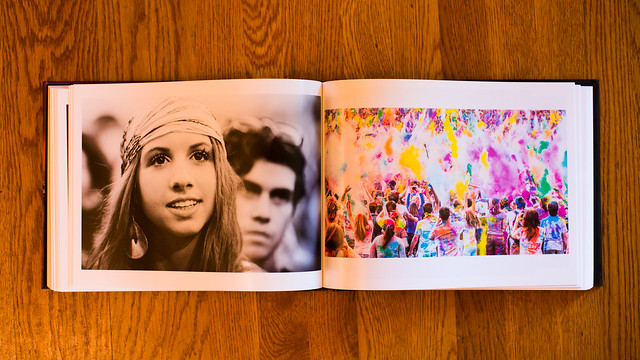
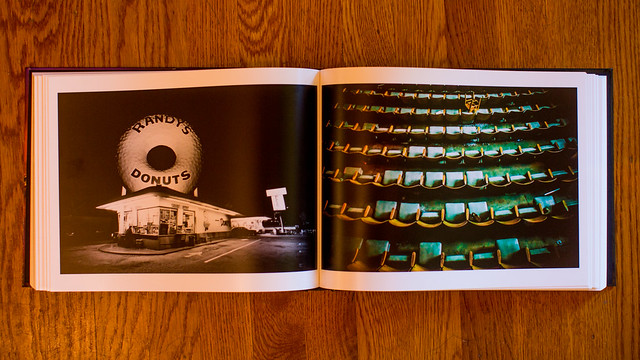
Yesterday my first book that I made with Flickr’s new book publishing service arrived. I was very impressed. My 200 page book was one of the best self publishing books that I’ve seen yet. I was most impressed with the paper that was used in the book. It was super premium high quality photo paper and as you turned each page it felt much weightier than most paper I’ve seen in other self publishing books.

The binding was not as nice as professionally printed books, but it was consistent with the binding that I’ve seen on other self published books from places like blurb.

It took my book exactly 7 days to arrive from the time of order to receipt. Once it was shipped, it was delivered next day.

As it stands right now you can just order books for yourself. You can’t sell them to others through Flickr. I had a few people that I showed the book to inquire about ordering a copy for themselves. As it stands right now this is a one of a kind book and I don’t plan on making additional copies of it.

Although I did not see a way to get text into the book, it seems like it might be possible looking at this example of another Flickr book by Flickr user Snoop Pac Doggy Dog. The book comes with a very nice printed removable slip cover and the book also has the same image on the cover itself.

I would definitely order more books from this service by Flickr. The quality of the product was first rate. It’s also nice that I did not need to upload high res photos to another site. Because Flickr already has my high res photos, it made it easier to just build my book through them.

It’s nice to finally be able to look at my own photo book and especially put it up on the shelf with my other photo books when I’m done — it sits right between photo books by Friedlander and Winogrand. πŸ™‚

My New Flickr Book Has Arrived!

My New Flickr Book Has Arrived!

My New Flickr Book Has Arrived!

Want a Great Gift for a Photographer This Holiday Season? Get Them a Scottevest

Brother and Sister Bonding Time
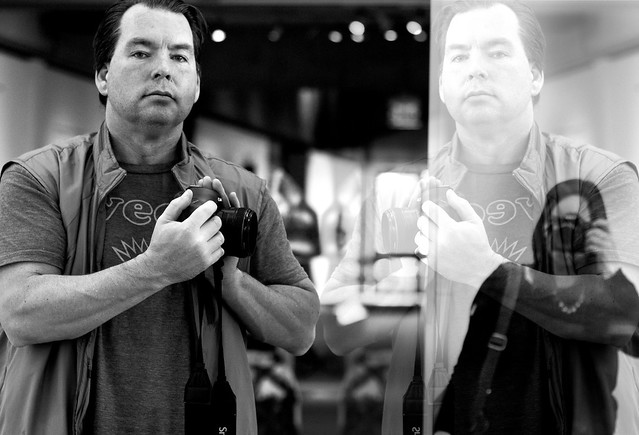
Brother and Sister Bonding Time, by April Joy Gutel.

On Wednesday I spent the afternoon shooting the Oakland Museum of California with my sister April Joy Gutel (her photo of me above, thanks April). I always love shooting in museums and find myself inspired by the art even as I create new art in that sort of a space.

A lot of museums don’t allow photography, but the ones that do almost always disallow backpacks. Because I shoot mostly prime lenses, I need a lot of different lenses wherever I go.

On Wednesday I tried shooting in a museum in my new Scottevest for the first time. It worked great. I was able to pack an iPhone 5s, 4 different lenses (my 8-15 fisheye, 14mm, 24mm, 135mm), an extra battery and two CF cards easily into the vest. This was in addition to the Canon Mark 3 and 50mm lens on my camera. While I definitely felt the weight as I shot (those lenses are heavy), it felt much better than wearing a backpack. The lenses were also much more accessible to me as I didn’t have to take a backpack off to get to them. I simply unzipped the pocket and pulled out what I needed.

Even with this much gear, I still had lots of room to pack more stuff into the vest if I needed it.

The vest has sleeves that come on or off, in case you want to wear it as a jacket. It was very light weight and very comfortable to wear. It’s a great thing to have around for those times when you want more than just your camera, but don’t want to (or can’t) take your whole backpack set up with you.

You can check out photos I’ve taken at the Oakland Museum of California here.

First Impressions on Flickr’s New Book Publishing Service

I Just Published My First Book

I just published my very first book.

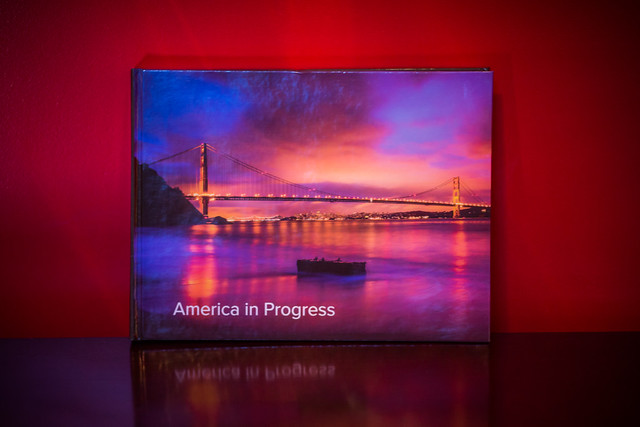
I’ve been meaning to do a book forever and today I finally did it. Flickr launched their new book publishing service today and I wanted to try it out, so I created a 200 page book called America in Progress.

The book is comprised of 200 photos I hand selected from the almost 88,000 I’ve got published to Flickr. It cost me $137.94.

The basic charge for the new Flickr book is $34.95 for a 20 page book. Additional pages are 50 cents each with a 240 page maximum. In my case shipping was another $12.99. ($34.95 for the basic book + $90 for an extra 180 pages + $12.99 for shipping).

The Breakdown on What My New Book Costs
My book cost me about $138 for my 200 page book.

The book should arrive in the next 5 to 7 business days.

It took me about 2.5 hours to make the book. It’s a photo only book and the only text I was able to add was the title of the book — which is on the cover and on the spine. I didn’t see any way to change the font of the title so I went with what they offered by default.

The Breakdown on What My New Book Costs
My book should be here in 5 to 7 business days.

There were a lot of glitches when I built my book — which is to be expected when you try out a new service within the first hour of launch. The first book I tried to create sent me to a non-existent page when I tried to check out. The publishing page was also running very slowly for me at one point. It would take me about 45 seconds to add a new page to my book. My session crashed and when I refreshed the page it went faster. Fortunately Flickr auto-saves the progress on your book as you go, so I didn’t lose any work when this happened.

The Layout Tool For Flickr's New Book Service Was Super Easy to Use
Despite some glitches, Flickr’s layout tool for creating books was really easy to use.

I was also warned when I tried to check out that there were print quality alerts on some pages of my books, but I carefully checked every single page and didn’t see any alerts anywhere. It would be nice if you could click a link which would tell you what pages specifically Flickr was concerned with.

As far as book publishing goes, it was really easy to create the book. I could either pull from my Flickr photostream or from any of my sets. You just drag and drop the photos into a book publishing sort of layout and you can move pages around so that things go where you want them.

Because I have so many photos in my Flickrstream and so many sets in my Flickrstream, I found it difficult to find all of the photos that I wanted to use in the book. Most users won’t have 88,000 Flickr photos though, so it should be easier for them. It would be nice if Flickr also offered a third way to find photos to publish, search.

The book will be 11” x 8.5 and will be a hardcover. Flickr says it will be printed on “premium white proPhoto paper with a Lustre finish,” and will come with a dust jacket.

If you change your mind on buying the book after you create it and check out, you have an hour to cancel your order.

I will report back more when I actually get the book as to the quality of it compared to other self publishing group books I’ve been involved with. Books can only be delivered to the Continental U.S.

I think it’s smart for Flickr to get into the book publishing business (and their timing is pretty good with the Holiday season approaching). It’s a natural way for them to grow and make money. I suspect that today’s offering is only the beginning. I could see Flickr also offering a way for book publishers to sell their books as well in the future, like blurb offers.

For more feedback on this new book service from Flickr you can check out this thread in the Flickr Help Forum.

When I First Tried to Check Out Flickr Took Me to a Non-Existent Page
An error sent me to a weird non-existent page when I first tried to checkout and pay for my book — Flickr seemed to want to send me to giantsouthern’s photostream instead.

More from Fast Company here.

Update: here is the pdf file of my book that Flickr sent me if you want to check it out. Feel free to download a free pdf copy if you’d like. πŸ™‚

Converting from Android Back to the iPhone, Initial Observations

I’ve been using smartphones for a long time. I was an original owner of what I believe was the very first smart phone, the Kyocera PDQ 800 back in 2000. I had a couple of Microsoft Windows based phones after that. I waited in line down in Palo Alto with my pal Robert Scoble to get the very first iPhone when it was launched back in 2007. I then upgraded to an iPhone 3G, then an iPhone 3Gs. I skipped the iPhone 4 opting instead to give Android a run for the money. I switched to a Samsung Vibrant in 2010 and then in 2011 to a Samsung Galaxy Nexus.

On Friday my new iPhone 5s arrived.

I returned to the dark side of Apple for a lot of different reasons. I hated the poor battery life on both of my previous Android phones. I hated that it felt like the only way to get updates on Android phones was to buy a new Android phone. I thought it sucked how difficult it was getting updated software and I thought Google didn’t do enough to pressure the hardware manufacturers and carriers to better support Android updates in the aftermarket.

A lot of things felt broken on my Android phones all the time. Things crashed, didn’t work, etc. People kept suggesting that I “root” my phone to fix things — but I didn’t want to root my phone. I’m not a phone geek. I just want something really good that consistently works with little effort.

On my recent trip to New York City last month, I felt like I spent the whole trip apologizing to people who couldn’t get a hold of me on my Nexus because it was constantly dead. I didn’t dare listen to music on it or it would die even faster.

It’s totally unfair to compare my new iPhone with a 2 year old Galaxy Nexus, but I’m going to do it anyways. Maybe Android’s come a long way since my Nexus, but I’m not interested in shelling out $500 to see if in fact this is the case — not after feeling like I’ve been burned twice with my last two Android phones.

I’ve only been using my new iPhone for a few days, but here are my initial observations.

1. The iPhone battery is wayyy better than my old phone. Last night I went to bed with my iPhone fully charged, but unplugged. This morning it had 98% of it’s battery life still. That was amazing to me. My Nexus would have been dead. It’s so nice having a phone that actually has a battery life.

2. The internet reception is better on this phone than my Nexus. For the last two years I’ve thought that Verizon just had really crappy internet service in the Ferry Building here in San Francisco. It turns out it was my phone! All the places in the Ferry Building where I couldn’t get Verizon LTE service on my Android, now work perfectly with Verizon LTE on my iPhone. I was so frustrated all the time when my LTE connection wouldn’t work on my old phone. I was constantly blaming Verizon when the real culprit was MY PHONE! Verizon LTE works GREAT. I just needed the right phone.

3. I didn’t care about the fingerprint technology on the new iPhone. I never locked my Nexus and didn’t think I’d lock this one — I’m one of those optimists who never thinks they will lose their phone. It turns out that the fingerprint tech is so easy that I do now lock my iPhone. I totally get that the NSA likely now has my fingerprint, but I don’t care about stuff like that.

4. It’s nice to be able to hear my music again. One of the things that I disliked about my old Nexus was the music volume. It was too low at max volume. Sometimes when you are on a train or something you want the music louder. The iPhone music can go louder and that’s nice.

5. It’s nice having my iPhone sync with my iTunes. I transferred about 7,000 of my favorite songs on it. I tried downloading doubleTwist to somehow port my iTunes to my old Nexus, but I could never get it working. I think my music library was too large for doubleTwist or something. Letting iTunes manage my music flawlessly with my iPhone is great.

6. My new iPhone just feels better. I don’t know how to describe it. It feels more responsive, more accurate, faster. It feels smoother. The Flickr and Google+ apps flow easier on it.

7. The first shocker for me was how much smaller the phone and the screen felt to me. I got over this quickly and barely notice at this point.

8. I don’t really feel like I’m missing the best Google stuff from my Nexus. I can get Google Maps on my iPhone. I can get Gmail on my iPhone. I can get Google Chrome on my iPhone. All of the best things that sort of set Google apart initially for me as an incentive to go Android feel like they are now on iPhone.

9. Setting up my new iPhone took me a lot longer than I thought it would. Some of this was my fault and some was the phone’s I think. I couldn’t activate it at first. My phone couldn’t connect to the activation server. I finally got it activated and it wouldn’t connect with my wifi at home initially (now it works fine). I had to download all of my favorite apps. It seemed to take longer to download my apps than I would have liked. I had to reset some passwords because I’m always forgetting my passwords (on Flickr now your password must include upper and lowercase letters, a number, a special character AND be at least 8 digits!) I spent about an hour trying to figure out how to get my Google Calendar into my iPhone calendar. It turns out what was screwing me up was two step authentication. Once I turned that off at Google it worked.

Thanks to everyone online on Twitter, Google+, Facebook, etc. who gave me input on what phone I should buy next. Rosa Golijan was especially helpful. πŸ™‚

A Taste of Oakland Uptown Block Party

A Taste of Oakland
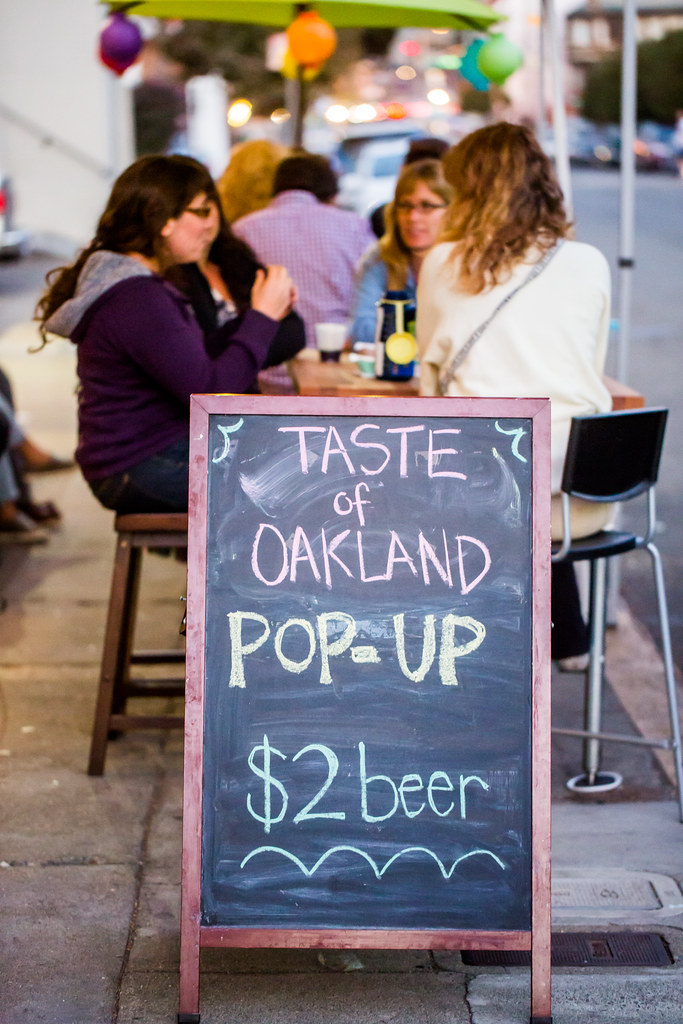
$2 micro Brew beers tonight at Kitchener in Oakland for A Taste of Oakland.

Earlier tonight mrsth and I enjoyed a night out on the town in Oakland at A Taste of Oakland’s Uptown Block Party. The food/cocktail event included 24 participating Uptown Oakland restaurants and bars.

A Taste of Oakland was founded by two Oakland natives, Helen Wyman (of Oakland Events) and Lamont Dawson. Their mission is to promote local businesses, highlight Oakland’s assets, change perceptions of Oakland, build a sense of community between the residents and the business community and showcase the culinary revolution that has become prominent in the food industry, establishing Oakland as a culinary destination.

I’d say based on tonight’s successful event, they did just that.

Participating restaurants/bars included: Kitchener, Sweet Bar Bakery, Hawker Fare, Pican, Ozumo, Luka’s Taproom & Lounge, Plum Bar, Donut Savant, Era Art Bar & Lounge, Torpedo Sushi, Farley’s East, Anfilo Coffee, Vo’s Restaurant, Telegraph, The Legionnaire Saloon, Kingston 11 Cuisine (although they weren’t open yet), Hutch Bar & Kitchen, Rudy’s Can’t Fail Cafe, Make Westing, Somar Bar, Camber, Bench & Bar, Dogwood and Mockingbird.

The evening gave Oakland food and restaurant aficionados a great opportunity to sample a ton of different restaurants and bars over the course of the three hour event in stylish Uptown. It was a great opportunity to check out new places and plan for further dinners and reservations down the road.

My favorite restaurant of the event was the newcomer Mockingbird. They served a duck pate that was delicious! I’ve been wanting to try Mockingbird and that will probably be the next dinner I have out.

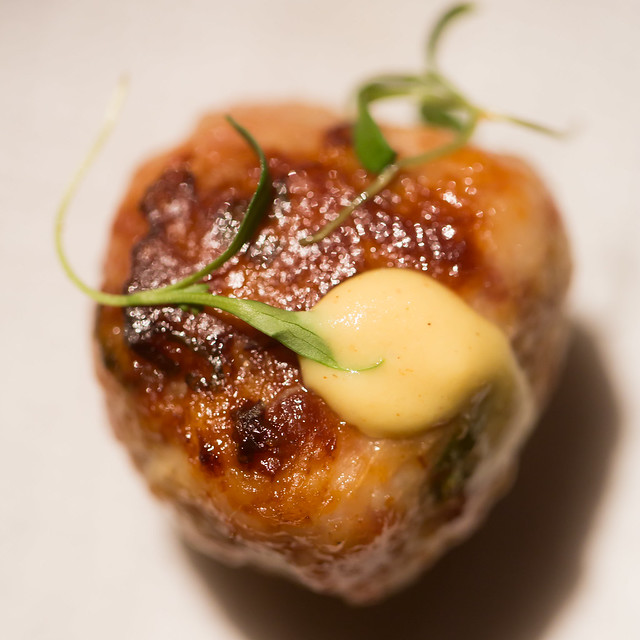
I also really enjoyed the North Carolina pull pork that Rudy’s Can’t Fail Cafe served, the pull pork sandwich served by Telegraph, the Thai food at Camber and the Four Roses Bourbon cocktail served by Hutch. The pork meatball at Ozumo was pretty tasty too. The restaurants were all within walking distance and it was priced at a very affordable $20 per ticket.

With 24 venues, the event had a lot of local community support, it felt like most of the restaurants in Uptown participated — although the woman at Catered to You was outside offering samples of her decadent buffalo french fries complaining that this was the second time she’d asked to be included and wasn’t. Hopefully she gets in on the next one. πŸ™‚

Thanks for a great night out A Taste of Oakland. Looking forward to more of your great events in the future! #taseteuptown #tasteofoakland

To see more photos from tonight’s event, check out this set on Flickr here.

A Taste of Oakland
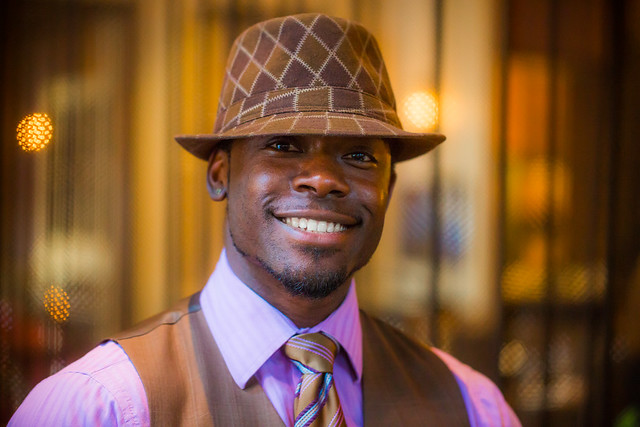
maitre d’ at Pican.

A Taste of Oakland
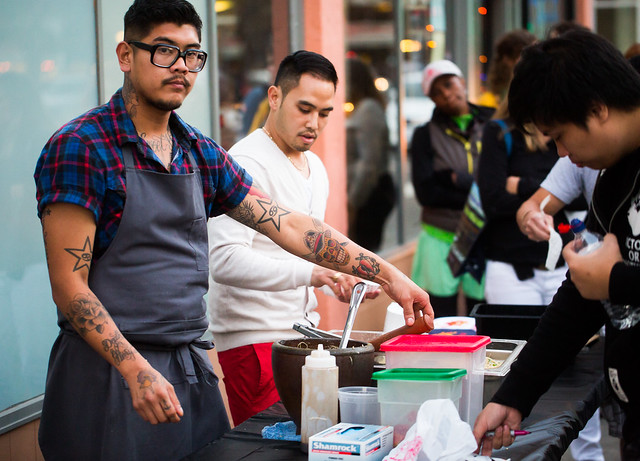
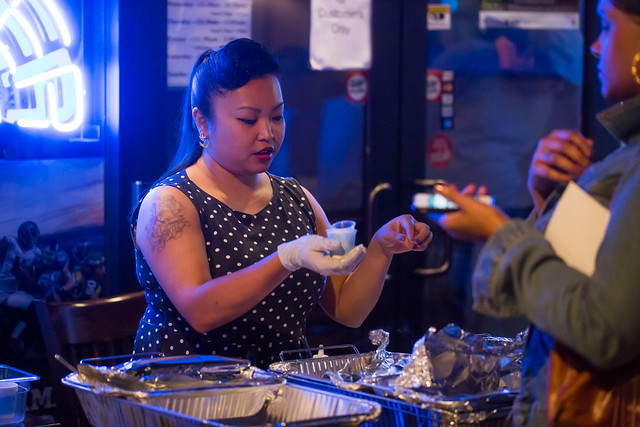
Serving at the Pop Up Outside Hawker Fare.

A Taste of Oakland
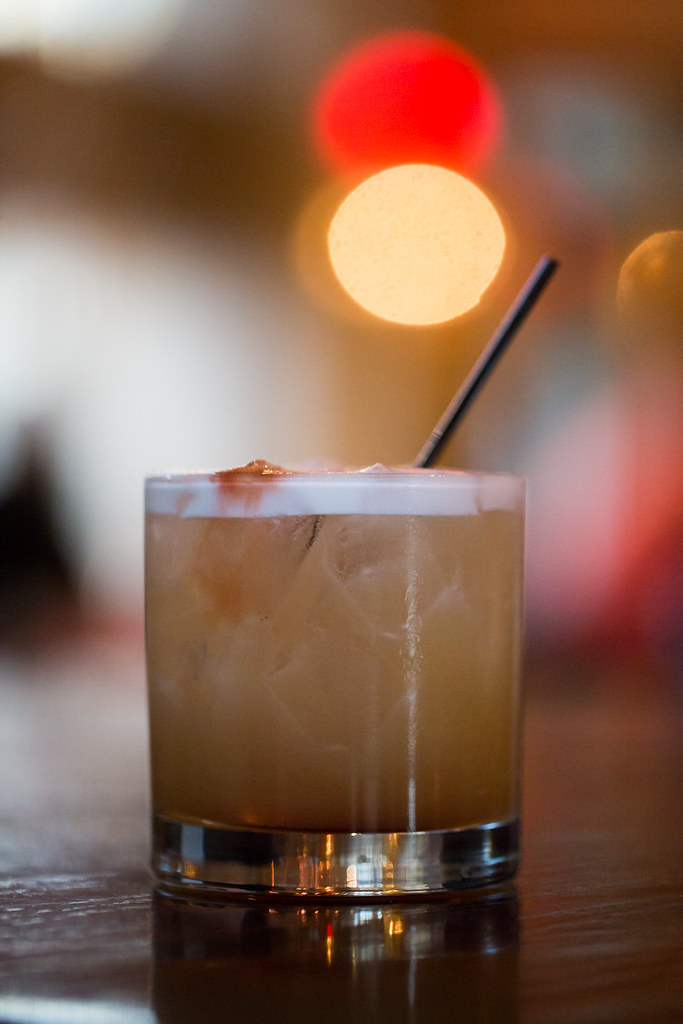
$5 specialty cocktails at a Taste of Oakland restaurants and bars. This one at Pican.

A Taste of Oakland
Hutch served an excellent Four Roses Bourbon cocktail along with popcorn popped in bacon fat.

A Taste of Oakland
A little Oakland street art between restaurants — a Homer Simpson / Stormtrooper mashup outside Hawker Fare.

A Taste of Oakland
Serving Thai food at Camber.

A Taste of Oakland
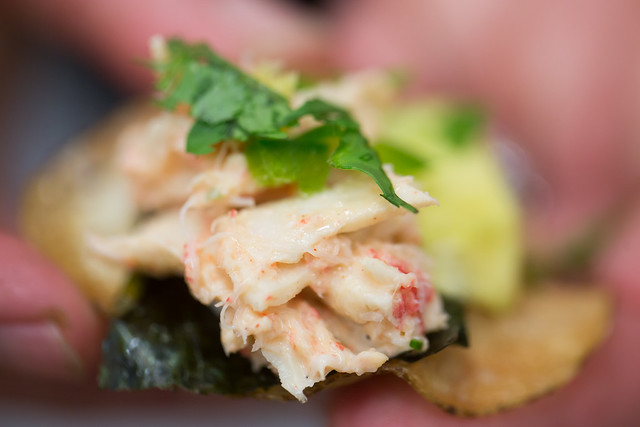
Torpedo Sushi was serving up their California roll on a potato chip.

A Taste of Oakland
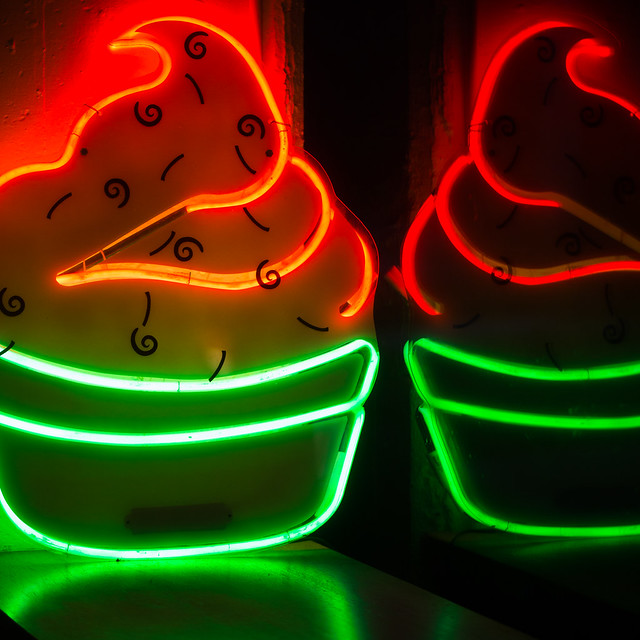
The dreamland of neon cupcakes at Sweet Bar Bakery who were serving a taste of chocolate or ginger cookies.

A Taste of Oakland
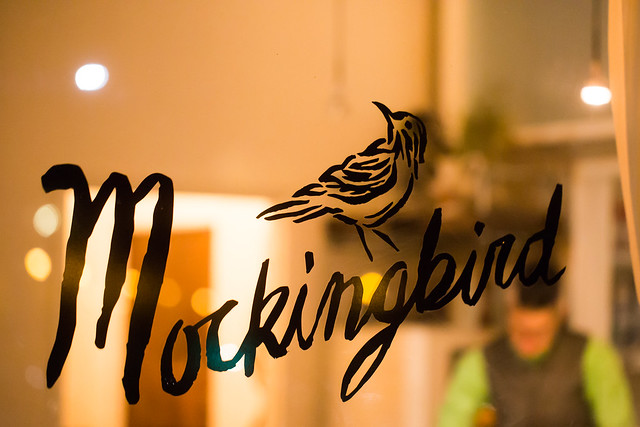
Newcomer Mockingbird, my favorite restaurant of the evening.

A Taste of Oakland
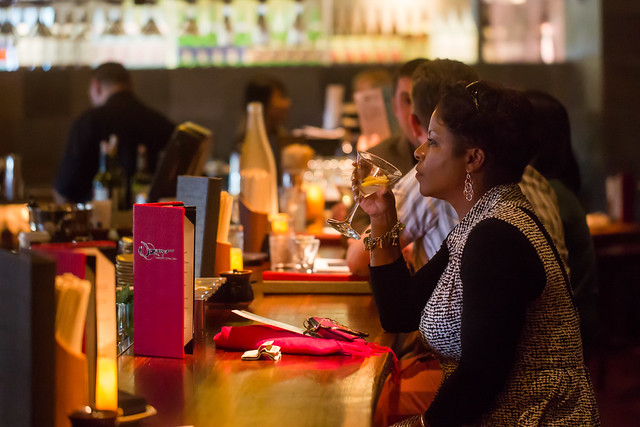
Enjoying a cocktail at the bar at Ozumo.

A Taste of Oakland
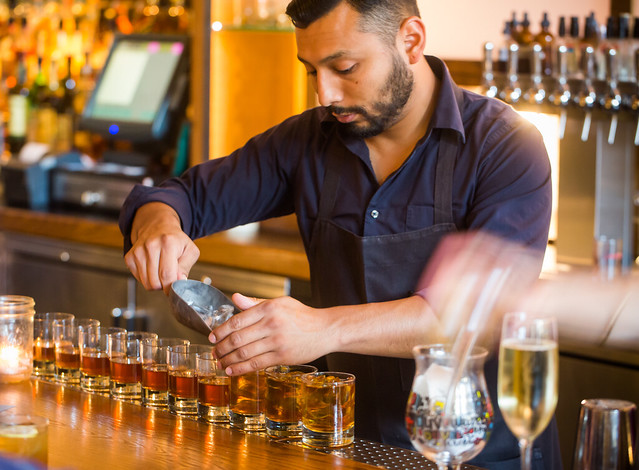
Making Jameson and tea cocktails at Plum Bar.

A Taste of Oakland
That pork meatball at Ozumo was pretty damn good.

A Taste of Oakland
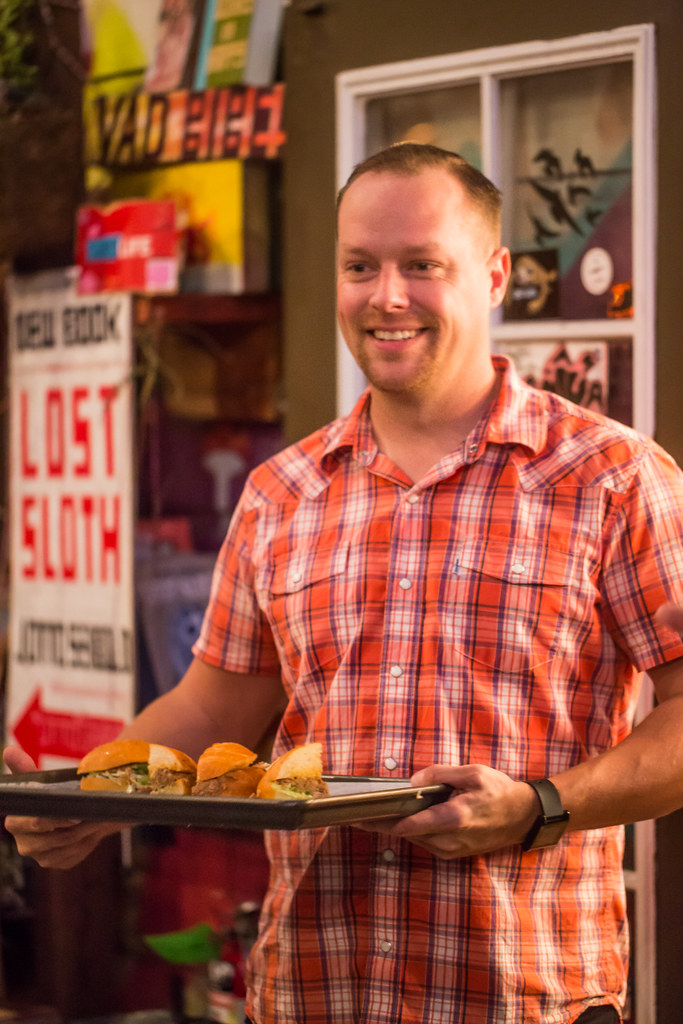
Serving pull pork sandwiches at Telegraph.

Flickr Rolls Out New Photo Preview Page to All Users

Flickr Opens Up New Photo Preview Page to Users

Yesterday Flickr opened up their new photo page preview to the world. I opted in to the new photo page this morning and here are my initial thoughts on it. Overall I like it.

1. Photos are bigger. The bigger the photo the better. Flickr eliminated top menu items on the page. They also eliminated the hint area to encourage people to scroll below the fold. By moving the top and bottom non-photo information to the side of the photo, this allows bigger photos.

2. You no longer have to scroll to see a lot of the important information around a photo. Having a lot of the information that people care about to the side of the photo, makes it easier to get to this information. You know, sort of like how Google+ does it. πŸ˜‰

3. I’ve got mixed feelings on the new hashtags. I do like the fact that Flickr has added #tags to all Flickr tags… I think. This is the new methodology for tags in social media (i.e. Twitter, Instagram, Facebook, Google+ and everybody else in the world), so it would make sense that people would be more familiar with this concept, especially new users.

On the other hand, hashtags don’t really work very well for multi word tags and descriptions (the space between words gets stripped out). So “Saved by the Deleteme Uncensored Group” on the old Flickr photo page now becomes #savedbythedeletemeuncensoredgroup, which looks like a big mess. A lot of Flickr users would tag phrases and thoughts in the tag section of their photos and these are now pretty much unreadable.

Also Flickr now hides a lot of tags underneath a “more” button. This to me would seem to discourage users from using lots of descriptive tags, which I think are important for organizational and search reasons on Flickr. I don’t think any tags should be hidden under a “more” button. All tags should be shown on the photo page.

Groups and others who relied on multi word tags for photo games, may not like the new tagging structure.

4. A lot of the full functionality of the new photo page is being developed. This new photo page is by no means the final product. I think it’s good that Flickr lets people opt in and opt back out, to try it out. It’s a little bit of perpetual beta in a way and I like that Flickr is willing to put itself out there without having everything at 100%. Move fast and break things (as they say over at Facebook).

5. The new Flickr photo page is an under-developed preview, this means that there are quite a few things that still need to be done (some of which are planned and in the works by Flickr).

We need to be able to generate html code to blog images off site still (it’s coming). We need to be able to see all sizes of our photos and download our photos (it’s coming). We need to be able to click on favorites and see who has favorited an image. We need to be able to click on a date an image was taken and have it take us to the calendar archive view for that day of our photos. You can’t edit a comment on a photo after you make it (you can only delete your comment and start over). HTML formated links seem to be borked in photo descriptions.

Lots of little things still need to be added in to the photo page. It’s missing a lot of functionality still. The design looks good though and I hope they implement all these little things quickly.

6. My favorite thing about the new photo page is that it really highlights your sets. Sets are one of my favorite things on Flickr. I’ve made over 1,800 sets on Flickr. With the new photo page, Flickr now shows other thumbnails of photos from the same set and not just a link to the set. I think this will drive more views to people’s sets on Flickr, which is a great thing. [Note: this seemed to be working earlier today, but now it seems like this feature is not showing on my photos]

7. According to Neil Howard, the new Flickr photo page doesn’t support secure SSL browsing. SSL is the “https://” that makes a connection encrypted which is used by a lot of people.

8. I do like the new feedback forum that Flickr is also pushing with this preview. It has a way to vote answers up or down. This seems like an interesting way for staff to pay attention to the things that need to be fixed the most. The forum is already full of the “who moved my cheese” cheeshead bellyaching that comes with every Flickr change, but there is some useful criticism and feedback there that seems to bubble up to the top at the same time.

One other thing worth noting with these new bigger photos. A lot of photographers have told me over the years that they only load small, low res images on social media sites like Flickr. They think that these smaller photos are “good enough” and fret about having their larger images “stolen.”

I’ve always uploaded my full high res originals to the Flickr. As display sizes keep getting bigger and bigger, some of the people who have uploaded low res, small photos are going to see their photos begin to look bad in the larger size formats. On the other hand, those of us who always upload high res photos, our photos will still look good at these larger sizes. Especially as more and more photos are being consumed on things like the Flickr app on AppleTV, people ARE actually looking at your photos in much larger format than what you may have initially considered. Everything with photos on today’s web is going BIGGER — just something to think about.

It is pretty cool that Flickr gives everyone a full terabyte of high res original sized images for free — which means virtually unlimited free storage for your high res photos on Flickr. Google and Facebook should do that too.

These are my initial thoughts. Now I’m actually going to revert back to the old photo page (so that I can get the html code to blog the image in this post) and then revert back to the new page and keep testing it out.

What do you think of the new Flickr Photo Page? Do you like it? Love it? Hate it? And why?

More from The Verge here.

Update: Another little thing I don’t like (that I hope is fixed before release) — when I hover on a tag on the new photo page, I don’t get an option to explore other photos with that tag by me or by everyone. The only choice is to click the actual tag link which takes me to everyone. Flickr is a personal organizer for my photos and I like having the option to only return my photos with that tag, without having to go to search and specify that there.