I haven’t blogged a post specifically about FriendFeed recently, even though it is probably the number one place where I spend time on the web these days, and thought I’d take a moment to put together a quick list of 10 reasons why you should sign up for FriendFeed.
Many of you are already on FriendFeed, but I’m surprised that so many of my photography friends especially still have not signed up for the service yet. Why do I want you to sign up for FriendFeed? Because I want to make sure that I’m seeing all of your great photographs, blog posts, tweets, etc.
On with the list.
1. Because it’s easy to sign up for FriendFeed and even if you don’t use the service, signing up for it allows your work better exposure on one of the fastest growing communities on the web. Signing up for FriendFeed takes less than 5 minutes and very quickly you can link your Flickrstream, Zooomrstream, Facebook account, Twitter account, blog, etc. and have all of this information aggregated for your friends in one place.
Even if *you* don’t use FriendFeed, building a FriendFeed profile allows other people who do the ability to see your stuff. I used to go to Flickr/Zooomr etc. to see my friends/contacts/etc. photos. Now I browse them through FriendFeed. If you are not on FriendFeed, there is a good chance that I and lots of others are not seeing your work. Even if FriendFeed is not for you, sign up for it any way so that people can see your stuff.
2. Because by signing up for FriendFeed, your work will get better exposure across the internet. FriendFeed was built by a bunch of ex-Google guys — some of the very early Google guys. These guys know how Google works. They know how to make sure that FriendFeed content is indexed for search engines.
When you search for "Thomas Hawk" on the Googler what comes up? My blog, my flickr account and then my FriendFeed account. My FriendFeed account is indexed above my Zooomr account, my digg account, my Twitter account, my Facebook profile, Linked In, etc. It’s ahead of everything except my blog and Flickr. Same goes for individual posts that I have linked at FriendFeed. By having a FriendFeed account you make sure that your content is better indexed into search engines.
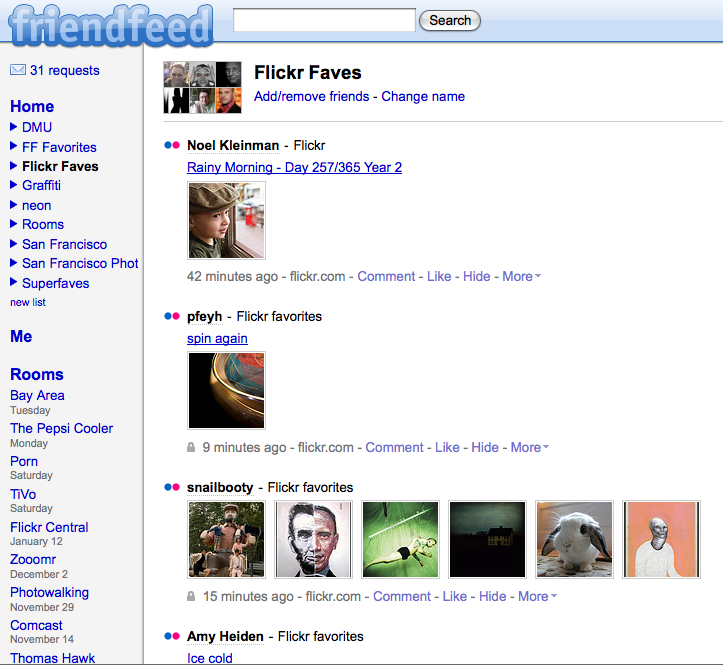
3. Because FriendFeed is a superior platform for monitoring your Flickr and Zooomr contact photos. When you watch your friends/contacts photos on FriendFeed instead of Flickr/Zooomr you see *all* of the photos that they upload, not just the last five. You can also create custom lists. You can, for instance, create a list of only your friends who are neon photographers, or graffiti photographs, or San Francisco photographers, or… well you get the idea. You can customize your friends/contacts into more categories letting you better watch their photography by your own custom photography channels.
What’s more, FriendFeed not only includes all of your contacts photos in their photostream, it also includes their faves as well. Over the past six months, some of the best photography I’ve seen has come from other photos that my friends are faving. Your friends have great taste. This is a better way to monitor both their photography and the photography that they love and like.
4. Because FriendFeed is going to be big and when you sign up for it 6 months from now or a year from now you might not be able to get the domain there you want.
Remember when gmail first came out (hint, some of the guys that built Gmail for Google are behind FriendFeed). And remember when everybody rushed there to get the best email address. I sure wish I would have. Because then I might have been able to get thomashawk(at)gmail.com. Instead, by the time I got around to signing up for gmail, thomashawk(at)gmail.com was already taken — so now I’ve got the pain in the ass gmail address of thomashawk22(at)gmail.com. I wish I had signed up for gmail earlier and secured my email address. Fortunately I signed up for both Twitter and FriendFeed early and was able to secure both http://twitter.com/thomashawk at Twitter and http://friendfeed.com/thomashawk at FriendFeed.
Even if you don’t want to use FriendFeed today, you might want to in the future and you’ll be happy you got your custom url. Since signing up for FriendFeed is free and easy, at a bare minimum you should try to secure the best domain name you can for yourself there here and now today.
5. Because if you like Twitter, you’ll love FriendFeed. With FriendFeed you can follow your Twitter Friends and even filter to only see your Twitter friends if you want. What’s more if your friends have a particular good tweet, it will get promoted to the top of your screen. If you are tired of seeing a Twitter you can hide it. Earlier this week FriendFeed even built a tool that will automatically import all of your Twitter friends directly into your FriendFeed account. Using the FriendFeed settings you can also have your FriendFeed posts automatically post back to your Twitter account.
Earlier last week when Apple announced that Steve Jobs was stepping down for medical leave, I was one of the first people on the internet to post this on Twitter. But guess what, I didn’t post it on Twitter at all. I posted it on FriendFeed and instantaneously it was posted to my Twitter account. Look at the time stamps on both posts, 1:37pm, the exact same.
6. Because FriendFeed is a *kick ass* search engine. Want to see a bunch of interesting articles about photography? Just search for "photography" on FriendFeed. What a great bunch of interesting stories and articles on photography. Try a search on anything else that you’re interested in. Apple, Microsoft, Obama, TiVo, whatever. Search is really good on FriendFeed today (remember it was built by ex-Google guys).
But search is going to get even better down the road at FriendFeed. Social Search is the future of search and being able to filter your search results by your friends/family as well as community consensus using "best of day" sort of features will make FriendFeed one of the best search engines on the internet. More and more I’m finding great stories to blog about using search on FriendFeed.
7. Because you can hide anything that you don’t want to see on the site. Have you ever been on a site and wished that you didn’t have to see a thread anymore. I know in some Flickr Groups there are threads that I wish I could hide. Especially threads that get bumped over and over and over again. If I don’t care about the latest debate, or the latest silly thread I have to just keep ignoring it. Not at FriendFeed. A simple hide will ensure that you never see that thread again. You can not only hide individual threads, you can hide threads by person, by source, etc.
A lot of people that are not used to FriendFeed tell me that they like it but that it’s too noisy or busy. That they see too much stuff that they don’t want to see. Learn to manage this by hiding content. Very quickly you’ll have a stream customized exactly to what you want to see.
8. Because FriendFeed lets you get rid of your RSS reader. Are you using an RSS reader? Is it clogged full of uninteresting content? At FriendFeed the most liked/commented/interesting stories get bumped to the top. If you follow a feed by someone who is not on FriendFeed yet? No problem. Just make an "imaginary" friend for them and you’ll see that stuff too.
Having your RSS feed filtered by human editors makes for a far more interesting experience. I abandoned my Google Reader account about 8 months ago and haven’t looked back since.
I think FriendFeed still needs to build a tool to let you import your OPML file directly into FriendFeed and match it up with existing accounts and imaginary friends to make this even better, but at least for me FriendFeed has completely replaced my RSS reader and I consistently get to read and consume better and more interesting content filtered by my social network.
9. Because the site is technically excellent, very rarely has downtime and loads very fast. There’s something about a fast loading consistent site that I love. I’ve clicked on FriendFeed pages tens of thousands of times and have rarely had any trouble at all. I find the site technically to be faster and more consistent than Flickr, or Twitter, or really any of the other sites where I spend a fair amount of time.
10. Because there is a *great* community of interesting people on FriendFeed. Community on any social network is important. And FriendFeed has one of the best communities around. I’m not going to name names, but there are so many interesting people doing interesting things on FriendFeed engaging in conversations every day. Jump right in and get to know them. They are a friendly and welcoming bunch… well, for the most part. They are funny, interesting, unique people. Sometimes conversations can get heated. Sometimes people say things that they shouldn’t have. But I find it always engaging. The developers behind the site are also very active in the community.
So there you go. I want to see your work on FriendFeed. If you sign up to FriendFeed, or if you’re already on FriendFeed and I’m not already following you, your photos, etc. there, please leave me a comment on this post with your FriendFeed link so that I can add you as a contact there. If you want to add me as a contact on FriendFeed you can do that here.

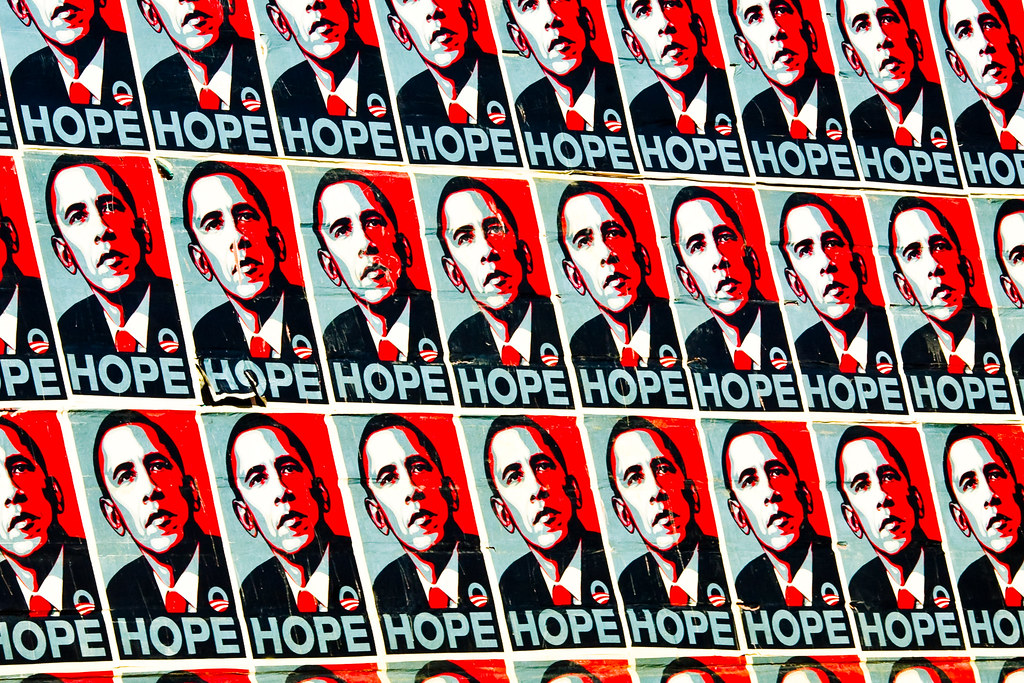 I shot the above photo of the HOPE posters back when Shepherd Fairey had a show in town late last year and plastered San Francisco with various images of his.