When “No Photography” Really Means “No Flash Photography”

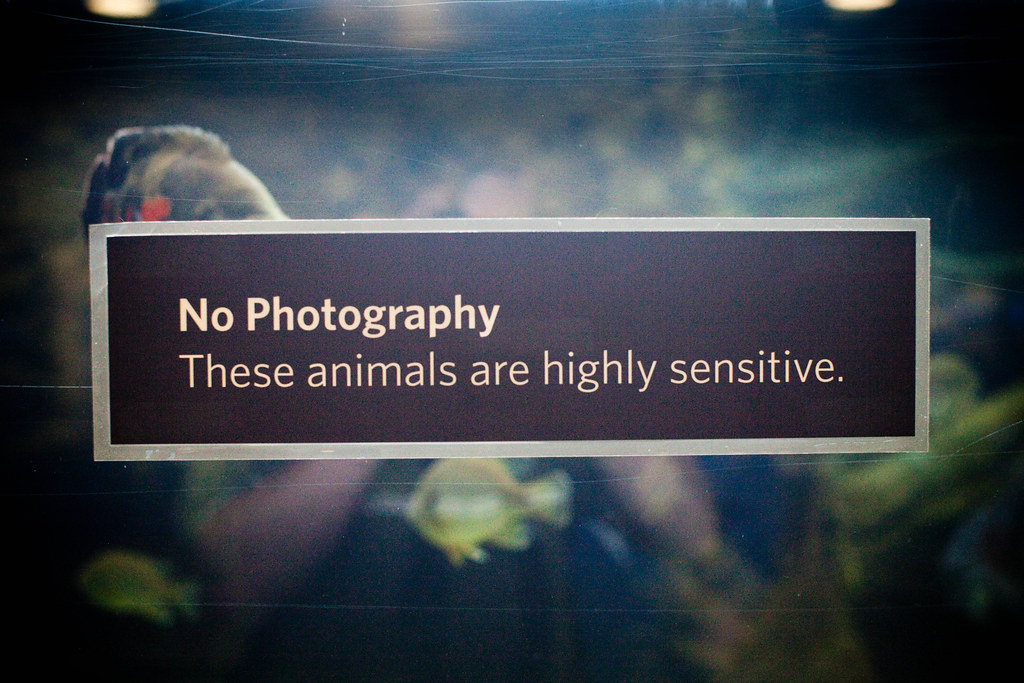
No Photography, These Animals Are Highly Sensitive

One of the things that annoys me to no end is when I see “no photography” policies that are put into place in order to restrict flash photography. Recently I encountered an example of this at the new California Academy of Sciences, a wonderful and remarkable museum where my family has purchased a family membership and which I’ve already shot pretty extensively so far.

I have to give the Academy high marks for allowing photography in the entire museum for the most part. It’s an incredible architecturally significant (and actually living) structure. The exhibits really are first rate and the fact that you can shoot there (and even wear a backpack) are really great. But I was disappointed recently when I visited and saw several “no photography” signs in the basement aquarium of the new museum.

People were ignoring these signs pretty much and shooting anyways, but that’s beside the point. I sat and watched one of the “no photography” exhibits for a while and saw several altercations between photographers and museum patrons. One patron chided another for taking a non-flash photograph, “can’t your read,” she curtly said to the photographer, “it says ‘no photography’ why do people like you always think they’re above the law.”

The photographer said that they thought that the museum meant no “flash photography,” (they were using an iPhone without a flash). The woman got agitated with the photographer and continued the altercation, “if they meant no ‘flash’ photography then it would say ‘no flash photography’,” she continued. “People like you are so rude,” she chided the photographer again.

After seeing a few altercations like this I decided to investigate this policy a bit so I went to talk to one of docents. I asked her why the signs were there and asked if it had to do with flash photography. She told me that actually it did not. She said that cameras have lasers in them and that when the shutter opens the laser in the camera can shoot out and harm the fish. Now, I know that there are not lasers in cameras, at least not in my new Canon 5D M2 that I was shooting with that day,” but I left it at that.

When I returned home from my trip I contacted the museum aquarium staff and inquired about the policy by email. The response that I got back was pretty much exactly as I expected. The museum staff confirmed what I assumed the reason why they had the “no photography” signs on certain exhibits was. They said it was to “be on the safe side, lest someone forget to turn off his/her flash.”

Now while I can see why the museum staff has this policy in place, I still don’t agree with it. My Canon 5D M2 doesn’t even have a flash on it. I couldn’t use flash on their exhibit even if I wanted to. And it sort of drives me crazy when people try to prohibit all photography based on arguments about flash.

So what’s the alternative? Well, they could easily replace the “no photography” sign with a sign that says “no photography without museum permission, or museum permit,” and point people to the staff offices for a permit. Here if there were photographers like me who really wanted to shoot those animals they could reconfirm and stress (if it’s indeed that important) that any photography must be done *without* a flash. I could then return with my simple paper permit in hand and when that batty woman who won’t mind her own business starts to chide me I could pull out my “permit” and show her that indeed I do have permission.

Of course as people mostly were just ignoring the sign anyways, while I was there at least, they could also just consider changing the sign to a more photographer friendly, “no flash photography,” with an explanation that flash really stresses the animals out to put extra emphasis on it.

They also might want to consider telling their docents that digital cameras don’t shoot laser beams. This is not Buck Rogers in the 21st Century — it’s a science museum, where it’s probably better that policies be based on real actual science, not science fiction.
Save the Date, Photowalking Chicago’s Magnificant Mile, Memorial Day Weekend, May 23, 6pm

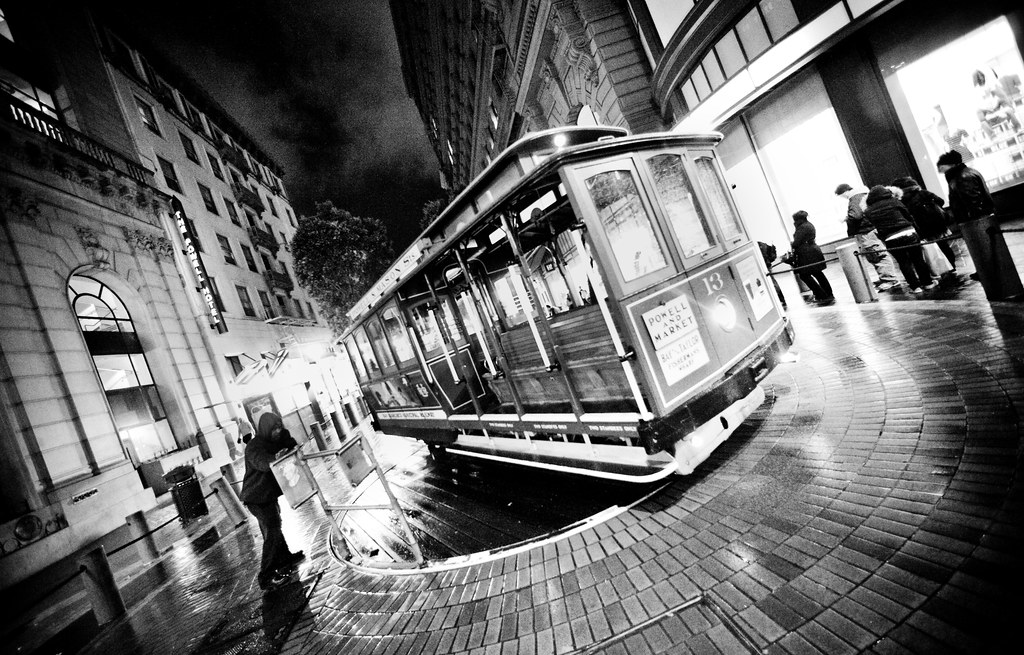
Just a quick update to save the date if you happen to be in Chicago and are up for a May 23rd photowalk of Chicago’s Magnificent Mile. We’ll meet at 6pm at the bean sculpture in Millenium Park and head out from there.

I’ll add more details later, but looking forward to meeting folks from Chicago and shooting one of the World’s great cities over the Memorial Day Weekend.

An upcoming.org page for the photowalk is up here.

Flickr Looking to Hire a “Senior Community Manager”

Cupcake LoveYahoo Inc. has a new job posting out at Flickr looking to hire a “Senior Community Manager.” I’m not sure if this opening is meant to replace current Flickr Community Manager Heather Champ or if they are simply looking to bring on another person in this department, but it looks like a pretty good job if you are in the social media / photography space.

Responsibilities (from the job posting):

“* Engage and communicate with the Flickr community within the Flickr Help forum and on FlickrBlog to communicate news, help solve problems and ensure that every member has the experience they desire;
* Represent the needs and desires of the Flickr community with the Flickr team;
* Developing and hosting programs and opportunities for Flickr members to meet and collaborate online and in the real world;
* Working with the Customer Care team to navigate the occasional troubled waters (ie, abuse mitigation)”

Minimum requirements include:

“* 3+ years experience working with a team developing web-based communities or social software
* 2+ years experience managing and moderating online communities
* Exemplary communication skills
* Has maintained a weblog or other online personal site
* An understanding of web development and web functionality, to be able to explain processes to user and understand bug reports
* Sound judgment”

Personally I think that it’s good news that Flickr is hiring in this area. I think Flickr’s not done the best job with community management and especially recently has been hitting the delete account / censorship button a little too much / hard. Hopefully whoever they hire for this important position will work towards building a new system that doesn’t make account deletions permanent and works a little harder to ensure that flickr remains as free from censorship as possible.

Using the Flickr API to Make DeleteMe Uncensored Even Better, Photoratr

Use Photoratr to Make DMU Even Better

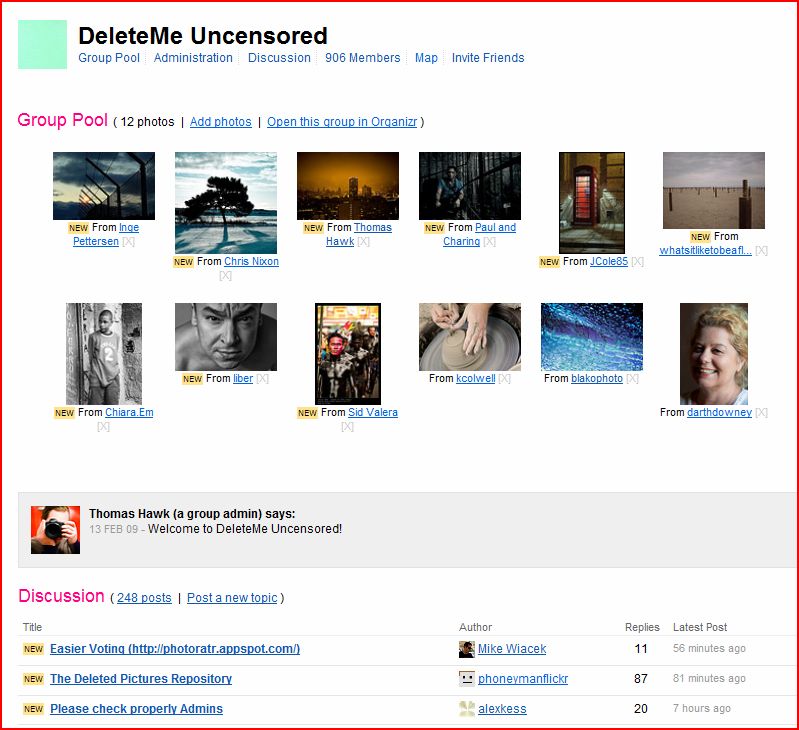
One of my favorite places on the internet, and really the only place that I hang out regularly on Flickr is in the group DeleteMe Uncensored. DeleteMe Uncensored is a group on Flickr where users submit their photographs into a pool and then other group members vote on them along with a short comment. If a photo gets 10 “saves” before 10 “deletes” it is then saved into a group portfolio of photographs called “The Lightbox.” If you want to see what I feel is some of the best photography on Flickr check out The Lightbox.

One of the things about DeleteMe Uncensored though that has always been troublesome for some, is that when you vote on a photo you are often influenced by either whose photo it is or by votes and comments that others have made on the photo. You might really like a photo but because it’s already been voted to delete8 without any saves you might be influenced to vote delete9.

In an effort to make the DeleteMe Uncensored game a little more interesting, Mike Wiacek has built http://photoratr.appspot.com/. What this site does is it takes all of the photos to be voted on in the DeleteMe Uncensored pool and presents them to you in medium sized view all on one page and lets you vote on them without seeing either whose they are or what the current vote count is. By presenting photos for voting this way it creates a more objective way to play the game. This is a tremendous improvement in my opinion and a great example of ways that people can customize Flickr better for their own needs by using the Flickr API.

This page also makes voting on photos in the DeleteMe Uncensored pool a bit easier as well. The only problem is that it in fact makes it almost too easy to leave quick comments on flickr and so sometimes if you are using the site too fast you’ll run up against a flickr imposed comment limit through the API.

All in all though I think the page is really cool. It will definitely be a tool that I use when voting for photos in DeleteMe Uncensored. Thanks for building it Mike!

By the way, DeleteMe Uncensored is not for everyone. The idea of the game is that comments and critiques of your photo can be brutal. People can say anything that they want about your photo — and oftentimes they do. The group is an 18+ group on Flickr and you may find nude imagery in the pool at times. Also, both comments on photos and especially comments in the group forum may not be for you if you are easily offended. If you prefer an uncensored environment though to engage in conversation with other photographers and like the game you might want to check it out. Please make sure you read the rules before joining if you do.

The Day My RSS Reader Died, or How I Learned to Stop Worrying and Love the FriendFeed RSS Bomb!

Really Simple SharingI’ve been an RSS junkie for many years. As a blogger who tries to stay on top of photography and other news related topics, I was a very early adopter with regards to RSS. I’ve tried many of the major and lesser known RSS readers over the years. The ones I’ve spent the most time with though were first Bloglines, then NewsGator and finally Google Reader. Every day I’d pour through feeds of my favorite news sites and bloggers looking for interesting items. I had custom search feeds set up. I had lists prioritized into A, B and C content. I had lists organized by subject, etc. etc.

But the same thing seemed to happen over and over and over again. I just couldn’t keep up. And my RSS reader would fill up with tons of posts until I felt guilty enough for falling behind and then I’d just nuke the entire unread reader and mark everything as read and start over.

My biggest problem with RSS can be summed up in four words: “too much crap content.” That’s right. As much as I would find the occasional great story and nugget of news, the vast majority of items were simply of no interest to me. News sites and bloggers (myself included) just publish too much crap.

So about six months ago I did something that seemed revolutionary to me (and felt totally liberating) I walked away from my RSS Reader. I said goodbye. I took my Google Reader icon off of my bookmark tool bar and I haven’t logged in or looked back since.

There was a simple reason why I said goodbye to my RSS Reader. It was FriendFeed. Now for a while I was running around shouting “RSS is dead, RSS is dead,” which isn’t entirely accurate. RSS is actually alive and well. But I think that traditional RSS readers are in fact on the way out.

The biggest difference between FriendFeed and a traditional RSS reader is that FriendFeed better filters your RSS feeds using the FriendFeed community. That’s right. If you choose who you follow carefully (and put them in the right lists) you get basically all the same old content that was swirling around your RSS reader of yesteryear except that now it it ranked and sorted by what the community that you choose feels is most relevant.

On FriendFeed the community can “like” or “comment” on stories that it’s members feed into it. The more a story is “liked” or commented on, the more it is bumped to the top of your screen. This helps ensure that the most popular (and frequently most interesting stories) are kept at the top of your “reader” most of the time. You still miss stuff like with your old RSS reader, but you miss less of the really good and really important stuff.

Now every now and again you still find a popular story that you don’t really care about. On FriendFeed especially a lot of stories that are of high value to a small community of early adopters and friends, might not seem so relevant to everyone else. People’s birthdays, crazy meme’s etc. often time rank high. But this is where the hide button shows its power on your new FriedFeed RSS reader. You find a story you don’t like and you simply hide it. If you find one sort of content that you routinely don’t like (like someone’s tweets about food) no problem. You can hide all that person’s tweets as well (but still get their blog posts).

Sometimes people will say to me as well, well, what if my favorite blogger, news site, etc. is not on FriendFeed already. Well first off, if they’re not on FriendFeed yet they are way behind the times, but even here if you really must watch a feed and it’s not already on FriendFeed, you simply add it as an “imaginary friend.”

How you categorize your feeds at FriendFeed is up to you. Like any RSS reader you can make lists. Photography, DVRs, Microsoft, Apple, A, B, C, faves, superfaves, etc. But in all of these cases, your network is constantly watching these lists and bumping the most popular stuff to the top of your lists.

The other nice thing about the best posts in your FriendFeed RSS reader is that they oftentimes come with tons of interesting comments from people besides the original author. If you want to see this post in FriendFeed for instance click through here and you will see what I’m talking about.

The bottom line is this. A socially filtered RSS reader is vastly superior to a non-socially filtered reader.

I’m not going to get into search much here, except to say that FriendFeed’s search capabilities are very, very strong. The guys behind FriendFeed are some of the early guys at Google. They just rolled out some new tools in fact last week to search FriendFeed even better than you could before. Social search is the future of search by the way and these guys at FriendFeed so far have hit it spot on. Personally I’m surprised that a small little start up like FriendFeed can pull off social search while a behemoth like Yahoo with amazing social properties cannot.

A lot of people still use a traditional RSS Reader *and* FriendFeed. In fact, I’d bet I’m one of the few that has actually abandoned their old reader entirely. What should FriendFeed do to help these folks make the transition? Easy. Build a tool that imports your OPML file (the file with all of your RSS feeds and organization in it) from your existing reader into a FriendFeed RSS list. FriendFeed could search their database to replace feeds that you’ve got in your OPML files with actual accounts on FriendFeed, and auto-populate imaginary friends for feeds that are not claimed by FriendFeed accounts yet.

Over time as imaginary friends come online at FriendFeed they ought to also build an option for users that lets them auto replace imaginary friends with real FriendFeed accounts.

I will say that since abandoning Google Reader that I feel that I’ve gotten a much better and more rich news feed experience from FriendFeed and that I’m really glad that I made the move. It does take a little getting used to and you definitely need to learn how to use the “hide” feature and “lists,” but it’s a vastly better way to keep up with your favorite bloggers and newsfeeds.

If you want to follow my own blog on FriendFeed, you can do that here.