

And So Begins the Night

Troy Holden

Troy’s a great guy and an excellent San Francisco shooter with an keen eye for city life. Always a pleasure to shoot with him and hang out. He recently went to work for Twitter which I think is the perfect job for him.
I shot this portrait one morning when we shot the old Tuna Cannery in San Francisco together. Back before they tore it down. Troy is putting out an amazing number of new photos on a daily basis.
Check out his work on Flickr here or follow his Flickrstream on Google Buzz here. He also blogs at the excellent Caliber photography blog.
“Don’t Shoot the Mannequins,” Said the Dude From Prada
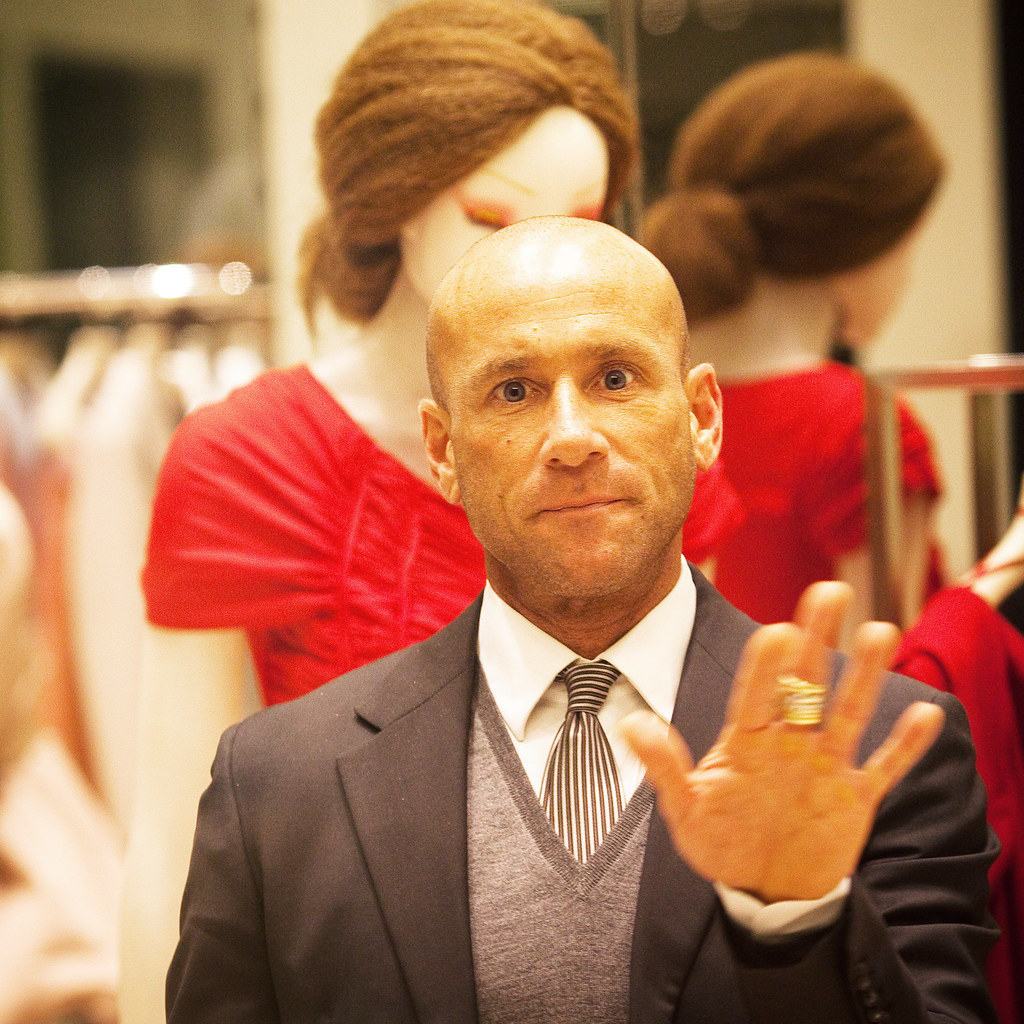
Dude from Prada thinks he owns the public sidewalk.
Photowalking San Francisco



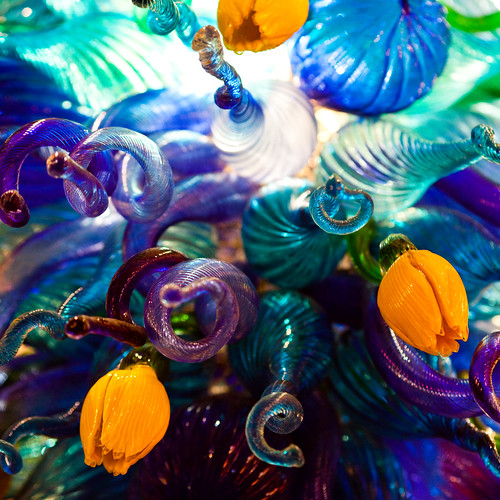
Had a great time last night photowalking San Francisco with a great group of photographers. Flickr Pal Tom Harrison was in from New York and so some of the folks in DMU decided to put together a walk around the City.
We started at Union Square at 6pm and shot from there through Chinatown, up to North Beach, and ended up back downtown at the Embarcadero Center and Hyatt Regency. A great group of about 15 or so came out. For the most part the walk was pretty hassle free, although we did have a few people hassle us a bit about shooting from the sidewalk (a guy at Prada got wound up at me when I was shooting their mannequins and another shop owner in Chinatown also didn’t like me shooting his mannequin either).
We stopped off at Enrico’s in North Beach for a little pizza and beer and it was great to catch up with everyone. Thanks to everyone who came out last night. It was great catching up with old friends and meeting some new ones. If you went on last night’s photowalk, don’t forget to tag your photos with photowalking021610.
Here are 10 of my shots from last night. I’ll upload some more later this afternoon and tonight.
California

10 Ways Google’s Buzz is Better Than FriendFeed
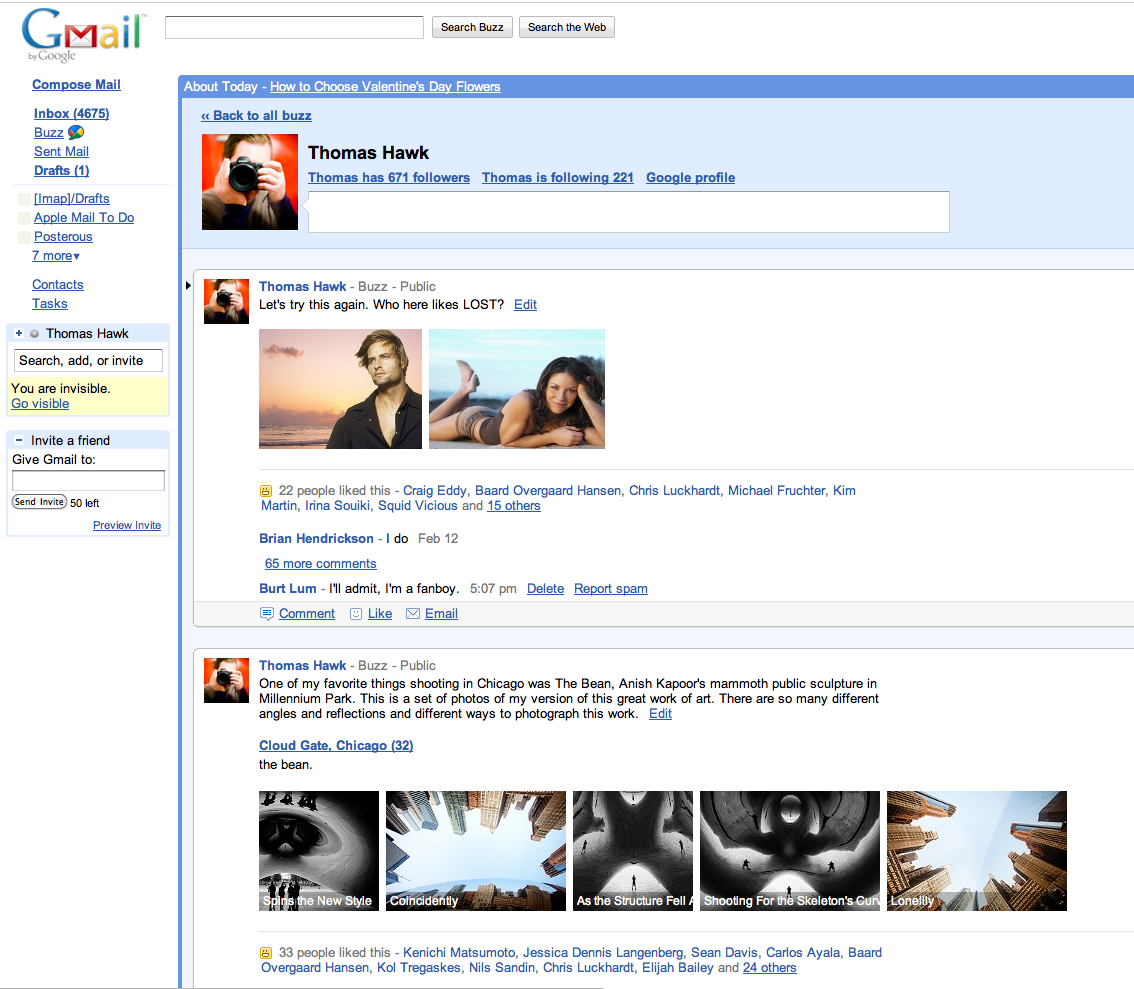
I’ve been using Google Buzz now for four days since it launched and wanted to take a minute to blog a post about 10 ways that I’ve found Google Buzz to be better than FriendFeed.
1. Google Buzz feels like an exciting product backed by significant Google engineering talent, commitment and dollars. FriendFeed feels like an old mare that Facebook’s put out to pasture, one that if we’re lucky Facebook engineers *might* work on, but not a primary growth product for the company.
2. Google Buzz’s mobile version is impressive. The ability to geotag a post and also to search others nearby is very slick.
3. It’s refreshing to be able to use paragraphs on Google Buzz. FriendFeed did not allow the paragraph. Perhaps they did this to encourage people to be brief, but it’s really nice that Google Buzz allows you to enter paragraphs in your post.
4. Photos are displayed much more elegantly on Google Buzz. In addition to showing actual sized thumbnails (instead of mini square box thumbnails), Buzz has a super cool lightbox feature that allows you to click on a photo and have it displayed in full high res glory without even having to leave the post and go to flickr. Also if you post a link to a flickr set of yours, it automatically pulls in the thumbnails, which is also cool.
5. Buzz allows you basic text formatting options. Want to bold a word or phrase? Put asterisks around it. You can also italicize with the _ or strike text with -. You can’t do this on FriendFeed.
6. The “M” key. If you enable keyboard commands in your gmail preferences you can use the M key on any post to mute it. This allows you to go through posts and filter out what you don’t want much faster.
7. Buzz allows you unlimited characters for your initial post. Character limits suck. FriendFeed was better than Twitter’s paltry 140 characters, but even FriendFeed would limit your initial posts. I never liked that and frequently found myself having to continue my main post in the first comment.
8. Buzz seems much more sticky to my non-geek friends. I’m not sure if it’s because they already use gmail, or if it just feels easier for them to use, but I’ve found more of my non-geek friends trying and using Buzz than I did FriendFeed.
9. Buzz has verified Google profiles. This is just a little thing, but when interacting with strangers sometimes it’s nice to be able to see that.
10. Buzz’s user profile page is much better. FriendFeed just allowed you a sparse little text box to write something about yourself. Buzz has a cool little slider that shows all your flickr photos and allows much meatier profiles. This is nice if I want to check someone out and learn a little more about them.
See also: 10 Ways FriendFeed is Better Than Google’s Buzz
10 Ways FriendFeed is Better Than Google’s Buzz
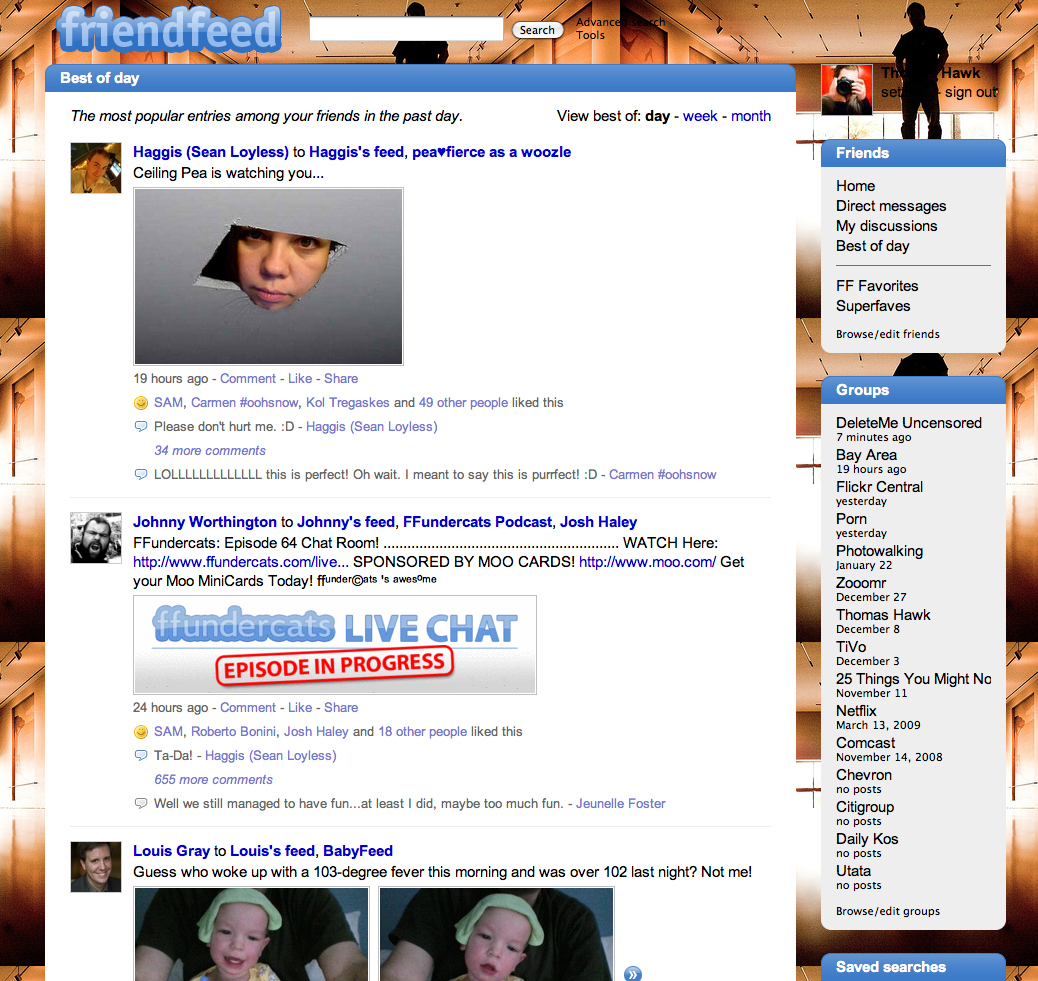
I’ve been using Google Buzz now for four days since it launched and wanted to take a minute to blog a post about 10 ways that I’ve found FriendFeed to be better than Google Buzz.
1. FriendFeed’s ability to selectively hide content. One of the things I hate about Google Buzz is that is an all or none proposition when you decide to follow someone. I may *love* someone’s Flickrstream, but hate the fact that they send a new tweet every 3 minutes describing a blow by blow version of their day. I might find that I *love* someone’s funny witty tweets, but hate the fact that they put 300 new items into Google Reader everyday about eco-friendly politics. On Friendfeed I can easily subscribe to someone and then choose to hide certain parts of what they have linked up if I want. This is very helpful in managing noise. Google Buzz does not give me this option.
2. On FriendFeed when I block someone, they’re really blocked. When you block someone on FriendFeed you are prompted with the following message: “After blocking this user, you won’t see any of their posts or comments on FriendFeed, and they won’t see any of your posts. If they’re subscribed to you, that subscription will be removed.” When you block someone they become invisible to you. Poof. They’re gone. It’s a truly beautiful thing.
Nothing ruins a good social network like crappy trolls. Being able to blot them out on FriendFeed if I want is nice. Unfortunately, on Google Buzz they take a different approach. They’ll block the troll from my own posts, but they still make me look at everything they post on posts that are not my own. I don’t want to see this. I want to truly be able to block them. Please Google. Let us make the bad people go away.
3. Best of Day. FriendFeed has a great page where each day the most popular entries (based on likes and comments) for the people in my social network are shown. Not just best of day, but week, month, 2 days, 3 days, etc. This helps me catch up if I’ve taken a break from FriendFeed for a day and want to see what the main entries that my friends are talking about are. Buzz doesn’t have anything like this.
4. I can better track my discussions on FriendFeed. One of the nice things about FriendFeed is that they give me a link of all of the threads that I’m currently having a conversation in. While Buzz lets me filter out only my own threads that I’ve started, they don’t give me an easy way to see all of the threads that I’m currently participating in.
5. FriendFeed’s Share This Bookmarklet. On FriendFeed if I find an interesting article somewhere I can use the FriendFeed “Share This” bookmarket to easily post it to my stream, complete with photos from the article. I’m not aware of any such tool for Buzz yet. Someone made one that I tried that was somehow hacked into Google Reader, but I found it very unsatisfying. I tried to share a page from Boston.com’s Big Picture on Buzz and it didn’t inlcude the most important part, the picture.
6. Lists. Lists on FriendFeed are HUGE. Being able to slice and dice my contacts and create different buckets to look at at different times is very cool. On FriendFeed, for example, I can create a list of only my immediate family members. These people may be much less active than my social butterfly social networking friends and so their stuff my get buried if I don’t watch carefully. By going to my family list I can more easily make sure I’m not missing any of there updates in the sea of noise. FriendFeed lets you set up unlimited lists for any reason you want. You can have a list of coworkers. Of people who live in San Francisco. Of photography buddies. You get the idea. At present there is no way to do this on Buzz.
7. FriendFeed lets me pause live updating. Sometimes when you follow a lot of people, real time updates become just too much. On FriendFeed if I want I can pause the live updating. This calms things down a bit and allows me to catch up on what I’m reading without having the screen go all jumpy on me. Google has no way to pause their live updating.
8. FriendFeed is much less buggy. Right now there are still a lot of bugs in Buzz. I’ve seen comments on some of my posts that just mysteriously disappear. Sometimes I’ll scroll down my page and see the same stuff that I just scrolled past but without some of the comments. Sometimes when I mute stuff I find it still comes back. There are still lots of little gremlins running around in buzz. The other day the “Load More” entries link temporarily disappeared. Buzz is still a work in progress it seems. FriendFeed doesn’t have near as many of these little annoyances.
9. Search seems easier and more intuitive on FriendFeed. Maybe I haven’t spent enough time trying to figure out Buzz’s search yet, but I’ve find that initially search feels much easier for me on FriendFeed. For instance. On FriendFeed I can easily search for all entries containing Banksy and filter them by my contacts. FriendFeed has a great advanced search box. Best I can tell Buzz has no advanced search box. I may be able to do some of these things if I can somehow figure out advanced text search strings and operators, but I don’t get a nice advanced search box to make this easy for me.
10. FriendFeed shows my Flickr photos *and* my Flickr Faves. One of the brilliant things that FriendFeed did, was to pipe in not only your flickr photos, but your flickr faves. Because people generally fave really interesting photos, this means that on FriendFeed I constantly get to see really amazing photography. It makes the place much more visually appealing than Buzz, which in some ways feels still a bit clinical, despite the fact that they have a better interface for your own Flickr photos. Getting to see what other people have favorited and getting to play virtual curator and share my faves with other people is nice on FriendFeed.
See also: 10 Ways Google’s Buzz is Better Than FriendFeed
Tracks in the Night

But When the Glass Exploded In, Everything Went Dark
