Why Are ATM Machines So Stupid?

It's the Money That Matters

I just put my ATM card into a Bank of America ATM machine. The first screen that came up was a screen asking me what language I’d like to enjoy my transaction in.

Ok, #1. Why should the ATM machine be asking me this question? How come every single time I do an ATM transaction every ATM machine asks me what language I want? I want English. Why can’t I set English as my default and never have an ATM ask me this question again? Why can’t the ATM machine be smart enough to know that if I picked English the last time I used it, I probably haven’t changed my default desired language for my transaction? I get my bank statement in English. Do they really think that I might like my statement in English but my ATM transactions in Spanish or Chinese?

#2. Why does Bank of America ask me to confirm my language choice? WTF? Why do I have to tell them twice that I want to have my transaction in English? It’s bad enough I have to be asked this question once. Do they really need my special confirmation? Are people so stupid that they get this question wrong enough on the first go around that confirmation is really necessary?

#3 Why does the Bank of America ATM machine present me with a choice of withdrawl amounts which never includes the amount that I want to withdraw? Every single time I go to the ATM machine I withdraw the exact same amount of money, $500. Why do I get presented with a choice of $20, $40, $80, $100 when I’ve never ever ever selected those amounts? Why can’t the machine be smart enough to look at my past activity and present me a button for $500 rather than make me slect another button and manually enter in this amount?

#4 Why does the Bank of America ATM machine ask me from what account I’d like to withdraw the money, savings, checking or credit? My ATM card is not a savings account ATM card, it’s not a credit card. It’s a checking ATM card. How is it that the ATM machine can’t be smart enough to determine that my ATM card is a checking account ATM card and just automatically use that without my having to tell it so?

#5 Why does the Bank of America ATM machine ask me if I want a receipt? I always select no. I don’t want a receipt. I never want a receipt. Receipts kill trees. Why not let me sign up for no receipts on my ATM transactions ever? I didn’t want a receipt last time I was there. Or the time before that. Or the 10 times before that. Or the 100 times before that. Why do I need to be asked over and over and over again if I want one now?

#6 Why does the Bank of America ATM machine ask me if I want to do another transaction? I have never ever wanted to do another transaction. Not only is it dumb to make me say no, but this also represents a security risk. What if I get my money and walk away without paying attention. Now somebody else can come press “yes” and withdraw some more money or something. If I want to do another transaction I’ll put my card back in the machine a second time and do another transaction.

I’d be willing to bet that at least 90% of the time people answer no to this question. So why make the 90% of us who also say “no” suffer for the 10% of people that might say yes?

That’s all, ATM rant over, oh wait one more thing.

Why am I paying Bank of America $2 for using their ATM machine? And if I’m not paying Bank of America $2 I’m probably paying someone else $2. $2 is highway robbery. It’s too much to pay — especially to a machine that’s as dumb as BofA’s ATM machine is. And why do I have to reconfirm my willingness to pay them $2 *every single time* I use their machine?

Here’s how an ATM machine ought to work.

1. Insert card.
2. Enter PIN.
3. Select Withdrawl
4. Push a button reflecting the amount that you’d like to withdraw with your last withdrawn amount being one of the choices.
5. Out comes your money.

Done.

At least my iPhone, MacBook Pro, PC, XBox 360, Canon 5D, etc. etc. don’t ask me if I want to use them in Spanish every single time I turn them on.

What Bookmarks are on Thomas Hawk’s Firefox Toolbar… or 25 Web Pages I Just Couldn’t Live Without Version 2008

The Internet Sites I Use the Most

A year ago I blogged about the 25 sites that were on my Firefox bookmarks toolbar. These represented the 25 sites that I used the most in my day in day out online life.

I thought here now one year later I’d refresh this post showing which bookmarks were removed from my toolbar over the past year and which ones were added. I’ve also added comments on each link.

Links removed in the last year.

1. My Welcome Mat on Zooomr. The welcome mat on Zooomr was not providing me anything useful really. Instead I’ve streamlined my Zooomr links down to two, my Zooomr Social Stream and my Zooomr Zipline.

2. My Zooomr Sets. I had a lot of problems with my Zooomr sets so I stopped maintaining sets there and maintain them at Flickr now.

3. Magnolia. I stopped using Magnolia for bookmarks after some weird thing happened with the site and I could no longer add new bookmarks there.

4. My Magnolia Mini Marker. Same deal. Since I don’t use Magnolia anymore I don’t need this.

5. Google Docs. I just find that I don’t really need to use word processors and spreadsheets much anymore. I use Zoho now instead of Google docs but I don’t use it enough to give it toolbar real estate.

6. Twittersearch. Although I still post to Twitter occasionally I’ve largely stopped following it from twitter or using Twittersearch.

7. Involver. I was going to try and use Involver for my events, but it was a private beta thing that my friends couldn’t get into without an invite and upcoming.org just seemed easier to use.

8. Statsaholic. I kind of gave up on Statsaholic after their Alexa data kept getting disrupted. I’m also much less interested in traffic stats on sites these days.

9. Newsgator Online. I switched my RSS reader to Google Reader.

10. Sitemeter. I dumped Sitemeter this year. Google Analytics gives me most of the same information without having to pay for it.

11. Zooomr Blog. Not much activity here. Most of Zooomr’s updates go in the Zipline these days.

Links added in the last year.

1. Flickrleech. The best way to get a birds-eye view of a Flickr user’s entire photostream and the best thing ever done with the Flickr API. Also the best way to search Flickr.

2. SmartSetr. The best way to manage your sets on Flickr.

3. Google Reader. Using it now as my RSS reader. Replaced Newsgator Online.

4. FriendFeed. The social networking aggregator. Definitely one of the best new sites in the past year.

5. Zooomr Zipline. My new landing page on Zooomr. A great place to network with other Zooomr photographers.

6. Pownce. I like Pownce a lot more than Twitter. Probably because the community feels smaller and less clichéd and photos are more prominently featured than on Twitter. I also love the mp3 sharing functionality in Pownce.

7. Hype Machine. Where I go to discover new music most on the web.

8. Google Maps. I’m creating a map of all of the places in the world that I want to photograph. This is a brand new project started last week so there are not many places on it yet. I hope to add hundreds of places in the next year though and do a blog post about this at some point in the future.

9. Reddit. Love to regularly review stories on Reddit.

10. Upcoming.org. I use this for my events site now.

11. Netflix Queue. Canceled my DirecTV and signed up for Netflix this past year. Absolutely love the service. Better programming for a lot less money. If you want to see what movies I’m watching you can add me as a friend on Netflix here.

12. Tiny URL. Sometimes big urls don’t fit well with Twitter, Zooomr Zipline, etc. This site turns your large url into a tiny one.

13. Photography Voter. Like Digg for photography stories.

Links on both last year and this year.

1. Flickr Recent activity. The place where I go to see all of the activity on my photos on Flickr.

2. Zooomr Social Stream. The place where I go to see all of the activity on my photos on Zooomr

3. Twitter. Using it much less but still post directly there occasionally.

4. Facebook. Getting really bored with Facebook but still go there a few times a week. Mostly just to add new friends who’ve added me.

5. Google Analytics. Use this to track traffic stats and referral information for my blog.

6. DeleteMe Uncensored. Still a place that I hang out most on Flickr. Flickr has it marked as an adults only group so you have to join the group if you want to see it and you have to have your account enabled to see age 18+ content.

7. Thomashawk.com. My blog still gets a spot.

8. 30 Boxes. Still using 30 Boxes as my calendar. Like the version that they built for the iPhone this past year.

9. Techmeme. Still one of the best places to go on the internet for tech news.

10. Digg.com. Still a great place to find new stories.

11. Technorati Page for thomashawk.com. Still like to follow other bloggers who are linking to my blog.

12. and 13. Blogger and “Blog This” bookmarklet. Still using Blogger for publishing. I’ve thought about moving to WordPress many times in the past, but in the past year the Blogger service has gotten remarkably more robust and I decided to stick with Blogger for now.

What sites are on your toolbar? Are there sites that you just can’t live without day in and day out. Any new ones I should be trying out?

Where Are All the Goddam Photos??

A Photo Editor – Where are all the goddam photos?:

Photo Editor Rob Haggart on the future of the photography business:

“I blame the photographers and publishers equally for clinging to the old way of doing business and not innovating something new, but it’s the photographers that stand to gain the most from creating a new way of reaching consumers and bringing advertisers along for the ride. If we all just sit around with our thumbs up our ass because we can’t do anything with photography without getting paid I’ll guarantee you one thing. The publishers will figure it out for everyone and they’ll happily keep the 1.6 million dollar (from the example above) cut they already get every single month for every single magazine they produce.”

Ryan Brenizer Reviews the Nikon D3 on TWIP

Ryan Brenizer

TWIP ? TWIP Podcast Episode #14 Nikon D3 Talk

Ok, well I’m about two weeks too late on this, but I just finished my evening swim and just finished listening to TWIP (this week in photography) podcast episode 14 and have to say that Ryan Brenizer’s review of the high end Nikon D3 is the best review that I’ve read/seen/listened to yet.

Ryan does a great job going over the pros and cons of this hot new professional camera from Nikon and if you are at all considering upgrading to the D3 you should definitely check out this podcast.

I had an opportunity to spend a bit of time with Ryan in December on our New York photowalk. He’s a professional photographer and a tremendous resource for information. He’s now also blogging for Amazon and his blog is definitely a photography blog worth following.

Netflix “Watch Now” on MCE Extenders?

Chris Lanier's Blog : NetflixMC Plug-in Does "Watch Now" on Extenders

Chris Lanier has a blog post up on a developer of a Windows Media Center plug in who claims that he has successfully been able to get Netflix’s “Watch Now” feature on a Media Center Extender.

The Media Center plug in is called NetflixMC, but the extender functionality has not been implemented into the current plug in yet but has been tested in concept.

This is exciting news. Perhaps we’ll see “Watch Now” Netflix functionality for XBox 360 Media Center extenders in the very near term.

More on this project over at The Green Button.

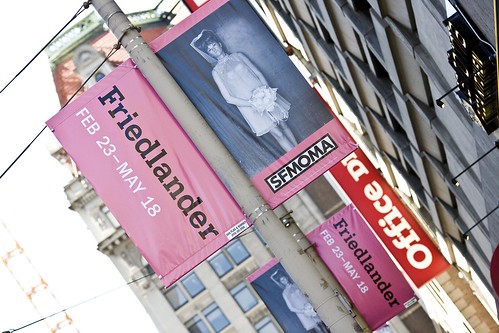
Lee Friedlander at the SF Moma

Friedlander

I spent a good chunk of yesterday afternoon up at the San Francisco Museum of Modern Art checking out the latest show up there by photographer Lee Friedlander.

Lee Friedlander is one of the most prolific modern photographers and has been shooting for the past 50 years. Along the way he has amassed an impressive body of work. Much of Friedlander’s work is focused on collections. Collections of self portraits. Collections of letters and numbers. Collections of nudes. Collections of people working. Collections of nature and landscapes. Collections of statues and monuments. He also has a series of specific projects. A collection of images from a fashion shoot. A collection of imagery from an Italian cemetery. Random sort of projects for a random sort of man.

Much of Friedlander’s work is commentary on the modern American landscape with his most significant work being a sort of documentary of America’s social landscape. This work is full of odd street photography, mundane American architecture, and the like.

Many of Friedlander’s scenes are messy and noisy and full of clutter. That telephone pole or fence in the way of an impressive building or architecture shot is not bypassed. Instead the carelessness of the anti-aesthetic is documented in his work. The gnarled fence and what it stands for becomes as important as the subject that Friedlander is shooting behind the fence. His car interior as much a part of his photograph as the Las Vegas street scene outside his car.

Friedlander is after the clutter, chaos and ugliness of life in many ways more than the beauty. When Friedlander was housebound suffering with arthritis he photographed a series of flowers. But not the kind of flowers you might expect. Friedlander focused not on the beautiful petals, but instead on the tough stems. A series of photographs of nothing but stems. The beauty largely stripped from nature and replaced by a sort of toughness that is every bit as much a part of nature as it’s more beautiful cousin.

As one of the world’s most famous photographers it is interesting to look at Friedlander’s work when juxtapositioned against the work by many of the other Masters of Photography. While Friedlander started out doing stunningly beautiful portraits of jazz and other musicians early in his career, he quickly changed direction. Rather than continue down the path of the cult of celebrity like his friend Richard Avedon or famous photographer Annie Leibovitz, most of Friedlander’s later portraits are portraits of anonymous everyday people. They are the people that mostly make up the American social landscape. Everyday people working. The back of a woman walking down the street. The fat hand with a ring on it around a lady at the race track. And in this sense he does a much better job capturing what it means to be an American than many of his peers.

Even Friedlander’s own self portraits are not the glamour shots. They are shots of him with his eyes half closed. Haphazard compositions showing the odd side to the odd man who takes the odd pictures.

If you saw any single image of Friedlander’s without knowing that it was his there is a good chance that you’d dismiss his work. You’d look at a photo of a house and a yard and say, well, ok, a photo of a house and yard. Not a particularly great photo but a photo. On the other hand when you look at Friedlander’s work as a whole, as the massive collection that it is, and if you examine the threads and paths that he moves down, you get a better sense of what the man and his photography are about. This is why Friedlander’s work is best viewed large. Best viewed large as in context with his entire body of work, and in this sense the current show at the SF Moma very much succeeds.

The SF Moma also has a number of Friedlander’s currently in print books on display as part of the show. The one that I liked best as a retrospective of his work was Friedlander, The Museum of Modern Art — well worth checking out to get a better sense of Lee Friedlander and his photography.

More on Friedlander from NY Magazine.