
Archive for April 2010

Had a Great Time Shooting at Last Night’s SF Weekly Web Awards

American BeautyKissMelissa Monroe Itamura

Well I was totally blown away and honored to learn yesterday that I’d won an award from SF Weekly here in San Francisco for the best San Francisco Flickr account. I’ve been a huge fan of SF Weekly ever since I arrived in SF back in 1990 and it was really something to have a publication that I enjoy and have respected so much over the years recognize my photography. So I went to the awards party last night and in addition to receiving the award had an *excellent* time shooting portraits at the event.

One thing I’ve been trying to do lately is shoot more portraits of people. Some of this work I’m doing more formally through things like my $2 Portrait Project, but a lot of it is just street photography or shooting friends who know me or at events or other places especially where people might expect to be photographed and are more relaxed about things. So I spent a lot of last night just trying to find the best light at 111 Minna and work on shooting people. Most of the people that I shot were strangers, but I found most people very accommodating about letting me have a few seconds to shoot them.

I also enjoyed shooting alot of the art at 111 Minna last night. 111 Minna is a fantastic gallery and really focus on more cutting contemporary work. I especially loved seeing a Ron English Warholish piece there called Dead Andy.

Dead Andy

I also got to meet Alexia Tstosis for the first time last night. I originally met Alexia a ways back in the hey day of FriendFeed back before Facebook had bought them. At the time she was a reporter for L.A. Weekly, but has since moved up here to SF and is now the web editor for SF Weekly. Alexia is a fun and connected journalist who does a great job keeping the pulse of whatever the next great things coming out tech are. I’d traded emails with her, but it was so nice to finally meet her in person as well. Thank you again for the award Alexia and I love the work you’re doing with SF Weekly.

My good friend Troy Holden (who is now working at Twitter) was also at the event last night where he and his cohorts Julie Michelle, Travis Jensen and Rumnose (really Stuart Dixon, but I like to call him Rumnose because that’s how I met him on Flickr originally in DMU) received the award for Best SF Art Blog. Troy, Julie, Travis and Rumnose run the excellent CaliberSF.com blog, which is really putting up some outstanding work these days, if you haven’t already checked it out, definitely do so! :)

My Pal Jeremy Brooks also came out with me to last night’s party. Jeremy shares a passion for neon signs like I do and is another great prolific SF shooter. Jeremy has recently developed the SuprSetr application for Flickr, which is by far my most favorite 3rd party app that I’ve ever seen developed for Flickr. If Flickr were smart, they’d hire Jeremy and have him build this technology for the entire Flickr universe to use as a feature rather than 3rd party app.

Old SchoolTroy HoldenHey Model, I Barely Met YouThree

I also enjoyed meeting Aaron Durand, who shoots a lot of graffiti stuff that I love as well.

I met so many other cool people at last night’s party. So many interesting people working in tech or the arts and doing interesting projects and things in SF. I put together a set of images from last night on Flickr that you can check out here. I’m absolutely terrible with names, so apologies in advance to anyone that I photographed but didn’t get your name down or right. If you know someone in one of the photos, do me a favor and leave a comment or tag with their name so that I can identify them.

Congratulations to all the other award winners last night. Also thanks again to SF Weekly for the award, and also for all those free Asahi beers last night too!

You can find my complete set of images from last night’s event here.

Meet Me in Chicago

Meet Me in Chicago

Murmurs of the Heart, Plate 2

Murmurs of the Heart, Plate 2

Why I Haven’t Bought an iPad Yet

Over on Twitter Alberto Lopez asked me why I’ve been quiet about the iPad so far. Of course, everyone and their mother has been yammering about nothing but the iPad for the past few months so I’m sure my thoughts on the thing haven’t been missed.

But I thought I’d add yet another voice to the millions that are talking about the device thus far. I can’t really review the unit of course. I don’t have one. I can’t gloat about it like Walt Mossberg or David Pogue as I’ve never even touched one, but these are my initial thoughts from someone who *hasn’t* bought one yet.

1. I take my MacBook Pro with me everywhere I go 24/7 and best I can tell it can do anything that an iPad can do and more. Why carry around yet another device when my MacBook Pro already does everything for me that the iPad can?

2. One of the reasons that I bring my MacBook Pro with me everywhere is that I can process photos during downtime. I process photos every day on BART for example. I’m not sure that I can use Lightroom on the iPad or that it would be as easy as my MacBook Pro. Also the limited storage on the iPad would not make it a good tool for editing super large 21 megapixel RAW files that I use my MacBook Pro for.

3. AT&T’s 3G network is crappy in the San Francisco Bay Area, plus I’m not eager to shell out another $30 a month when I’ve already got 3G on my iPhone.

4. My experience with Apple products is that the initial release is usually followed by better releases and it may be worth waiting to see what comes out next. I’ve also heard lots of reports that the initial product has a lot of bugs.

5. Even though I’ve literally spent the night in front of an Apple store before for a product launch and have waited in lines at their stores many times before, recently I’ve been pissed off at how Apple treats their customers in their stores.

While I used to view going to an Apple store as a positive experience, lately it has felt like a very negative experience for me. I blogged about this a few weeks back. I thought about going to the Apple store to look at one, but worried that I’d probably need to have an appointment to be allowed to even set foot in the store to look at the box of one and then chided and insulted by a snippy Apple store clerk about not having an appointment to grace their presence.

6. I’ve also been rethinking my overall view of Apple in the past few months. My iPhone’s contract is up in July and I’m thinking about switching to a Google phone product. Google feels more open to me than Apple. It also feels to me that Google authentically cares more about their customers and users than Apple does as well.

7. It doesn’t have USB ports. I also carry a 1TB Seagate FreeAgent Go (which ROCKS!) and could be a perfect solution to the storage problem with the iPad for me, but since the iPad has no USB ports, there would be no way of connecting this drive to it. This drive is actually not that much bigger than my iphone or a pack of cards and is USB powered. Shame not to be able to use an ideal storage device like this with the iPad.

Also I frequently use my FireWire 800 high speed card reader (another product with totally rocks) to transfer my photos from my CF cards to my MacBook Pro. This reader would be worthless on an iPad and I can see no easy way of getting my photos off my CF cards and onto the iPad while out shooting in the field (Not that I could fit many of my RAW photos on the device anyways given it’s tiny storage).

I’ve thought about buying an iPad for the house just to have around for others in my family to use. The cost is relatively inexpensive for a computing device and it’s largest appeal to me so far is probably that you can watch Netflix “Watch Now” programming on it.

But then I think that if I got one for the house the kids would end up fighting over it. The kids would probably drop it and break it (my son sent my old laptop off the top of his bunk bed and broke the display). And we already have a Wii, XBox 360, Mac Mini and Dell Media Center PC connected to monitors that can do Netflix “Watch Now” right now. Do we really need a portable device too?

So I may not be Apple’s ideal customer, and despite the hype and how sexy and cool the thing appears to be, it just doesn’t feel practical to buy one right now. Plus I can’t get the image of it as one of those calculators with super large buttons that old people use out of my head. Don’t get me wrong. I’m tempted. And if I actually tried one I might break down and buy one anyways, but thus far I’ve yet to jump on the iPad bandwagon with the rest of the cool kids. Not that they need my money anyways though as it seems that these things are doing a pretty good job of selling themselves. :)

Canon’s Big Anti-Dust Technology Lie

Canon's Big Anti-Dust Technology Lie

Full-Frame, Dust-Free Images. Updated EOS Integrated Cleaning System specifically designed to work with a full-frame sensor. Canon’s Integrated Cleaning system includes a cleaning unit designed specifically for the EOS 5D Mark II’s full-frame CMOS sensor. The camera’s low-pass filter even has a new fluorine coating upon its surface to help repel dust. Dust that makes it past the EOS 5D Mark II’s sensor cleaning system is easily removed in post processing using DPP software’s Dust Detection Delete function, which can remove dust spots automatically from single or multiple image files

- Canon marketingspeak on their Canon 5D Mark II Camera

One of the things that pisses me off to no end is how *horrible* a job the Canon 5D Mark II does at dealing with dust on my sensor. I struggled with dust on my sensor with my old 5D so I was super happy initially to learn that the new 5D Mark II had anti-dust technology built in. Except that Canon’s so called anti-dust technology with the 5D Mark II is utter crap and pure marketing speak bull shit. The image above is an image of mine taken from a trip a few weeks ago to Miami. My 5D Mark II is less than a year old and this is the type of dust I am seeing on my images. I’d encourage you to look at this image full size here. How is this even remotely acceptable?

Granted I use my camera heavily, but I can count over *40* different dust specs on the image above.

Frankly I can tell no difference between the dust on the sensor of my 5D M2 and my old 5D without so called “anti-dust” technology. Whatever the case, for Canon to prominently advertise the 5D Mark II camera as having an anti-dust feature is false advertising in my opinion.

I posted about my horrible experience with the 5D M2 and dust over at Buzz here.

Ed Fladung suggested in that post that I give the Arctic Butterfly brush a try to remove the dust on my sensor. So I ordered one of these brushes from B&H for $112. Hopefully this helps me. I can’t see how anything could make my 5D M2 much worse in terms of dust though.

Church Goin Type

Church Goin Type

Back of the Bus

Back of the Bus

Picasa Increases Album Limit from 1,000 Albums to 10,000 Albums

Picasa Increases Album Limit from 1,000 Albums to 10,000 Albums

Ok, this is just smart marketing. In the past Google’s Picasa photo sharing service had a limit of 1,000 albums that you could create on the service. I actually would be surprised if a single user on the site had hit the 1,000 album limit. I’ve been posting to Flickr aggressively for over five years and even I don’t have 1,000 albums on Flickr yet (to date, interesting enough though I’ve got 994 sets on Flickr so I’m close).

A few weeks back I blogged that I thought you’d see Google step things up with Picasa a bit now that Buzz has arrived and can serve as a social interaction engine for the site. The more I think about it, I’m not sure if a Picasa/Buzz combo will end up becoming Google’s competitive answer to Flickr or if Google might do something else entirely, but I can tell you that I think that Google is presently *very* well poised, better than they’ve ever been, to take Flickr on in significant ways.

From Google:

“We want Picasa Web Albums to be a place you can share and store all your digital photos, regardless of how many you have. We recently made extra storage really affordable, but until now, Picasa Web accounts have been limited to a maximum of 1,000 albums. We heard that you needed more room, and because we want you to keep sharing your photos and posting them to Buzz, we’ve worked hard to now raise this limit to 10,000 albums.”

Now here is another smart thing that Picasa has done. By default they show you 100 albums. But they give you the *option* to click a link and see all of your albums. Now why is this great design? Well it keeps Picasa’s main album page fast loading for everyone. While some of us are constantly on fast connections, we have to remember that many other people are not. By loading 100 albums this makes it easier for those on slower connections. But by giving an easy link to all of the albums for those of us with fast connections, it offers us a more dramatic way to view albums on Picasa.

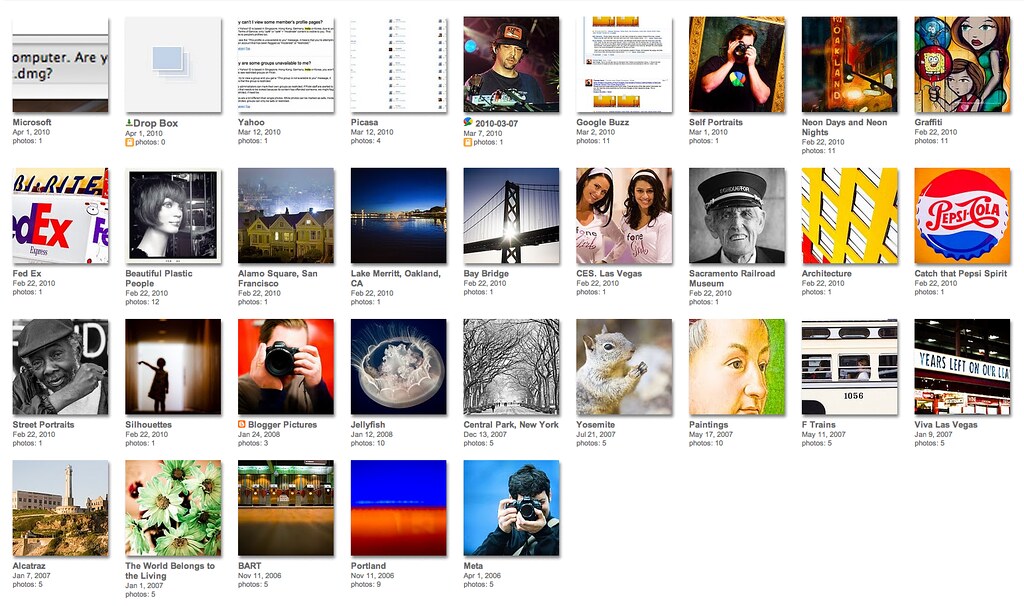
Flickr by contrast just recently (ugh, paging sucks Flickr!) decided to page your sets pages. What does this mean? It means that now you (and your contacts) can only see a miserly 30 of your most recent sets. This means that if you have a lot of sets on Flickr like I do that 30 of your sets get exposure while the other 964 effectively get buried. It used to be that if you looked at my Flickr sets page you got to see them all. Now you only see this. This sucks for me as a photographer because it makes it *much* harder for me to find my sets, but it also means that less people will be seeing my sets going forward.

You can follow a thread of users complaining about this decision by Flickr here. They did offer a workaround hack for users to use for their sets in that thread, which was smart, and allows *me* still to access all of my sets on one page, but it doesn’t deal with the fact that anyone who follows my work likely won’t know about the hack so they’ll still be stuck with sucky paging. You can see all 994 of my sets on one page by the way using the hack here. If you want to use the hack yourself, just add ?page=1&per_page=10000 at the end of any set url for either your own sets or someone else’s on Flickr.

By contrast, Google provides users a very handy link to see all of your sets on one page right there on the 100 sets page.

So Google shows 100 of your sets with a link to show all of them, and Flickr only shows 30 with no link to show all of them (but offering a hack for those in the know to see all of them). I think Google’s page design here is superior. I also like the way that Picasa uses larger thumbnails for their albums than Flickr does.

There is one area (and a far more significant area) where Flickr has Google beat on sets though. And that is in SmartSet technology. With Flickr’s API, developers have developed ways to organize your sets on Flickr by keywords — a far more efficient way than manually creating sets by hand. There are two primary web based sites where you can organize SmartSets on Flickr. Eric Appel has SmartSetr and then there’s Dopiaza’s Flickr set manager. I probably like SmartSetr more here because it doesn’t limit the number of photos you can have in a set. Dopiaza’s tool limits a set to 500 photos.

By FAR though my favorite way hands down to organize my sets on Flickr is using Jeremy Brook’s new tool SuprSetr. While SuprSetr still has bugs and is in beta, I find that it is the most robust and consistent performing set manager I’ve seen yet. In fact, I’d say that for me personally, SuprSetr is the most important and most significant improvement that I’ve seen around Flickr in the past five years.

Now if Google really wanted to leapfrog Flickr in set management with Picasa, they’d actually incorporate Jeremy’s SuprSetr application as a feature for Picasa.

If you want to find me on Picasa I’m here.

The General

The General

Urban Valley

Urban Valley